
Trackly Apply First
Everything an editor needs to produce a 60-second promotional video for Trackly -- the AI recruiting agent that monitors 2,000+ companies and notifies students the exact moment new jobs drop.
High-Fidelity UI Screenshots
Full-resolution screenshots from the live iOS and macOS apps. Use these as reference for the video — or download them directly for production. Click any image to open full size.
macOS App (24 screenshots)
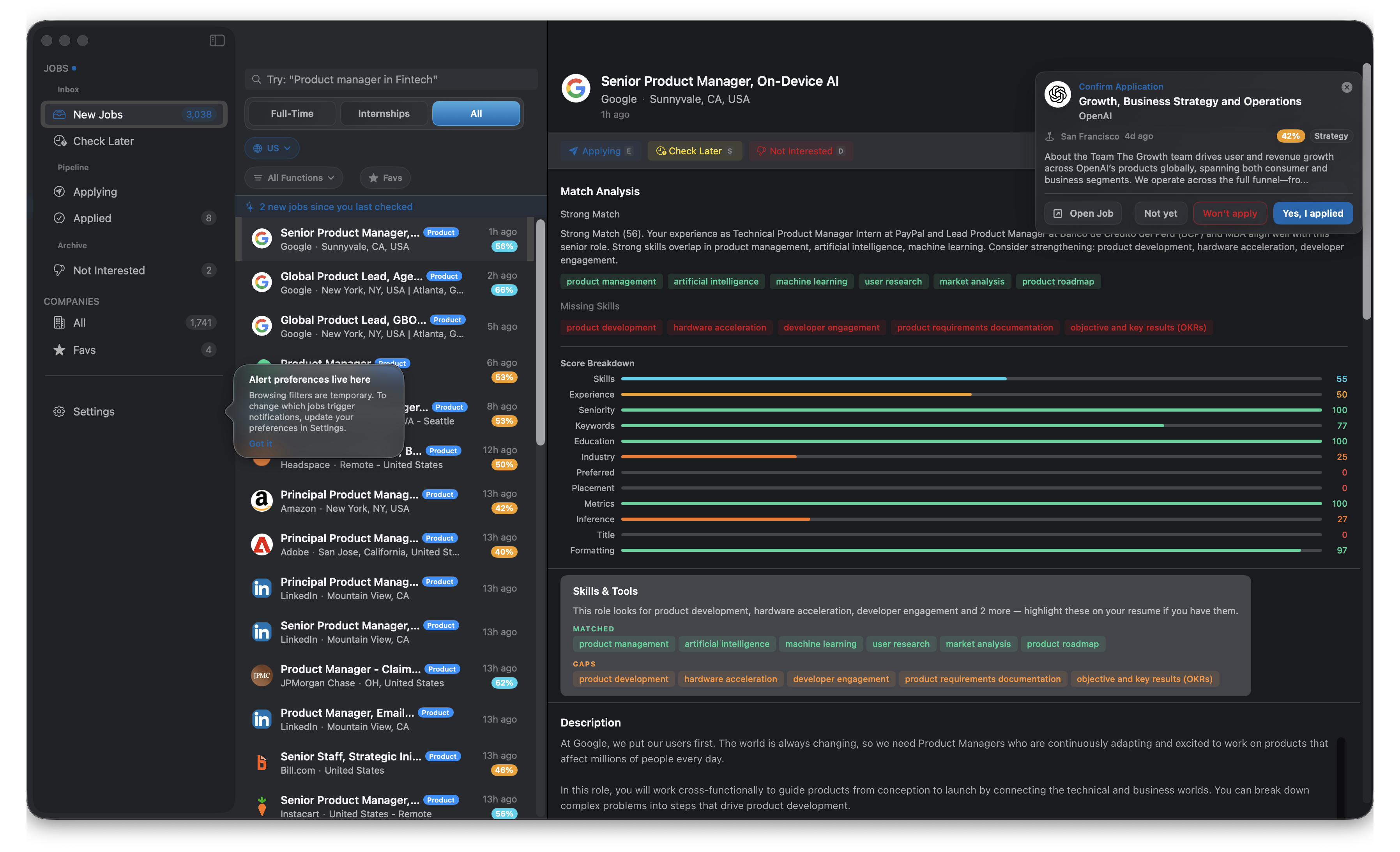
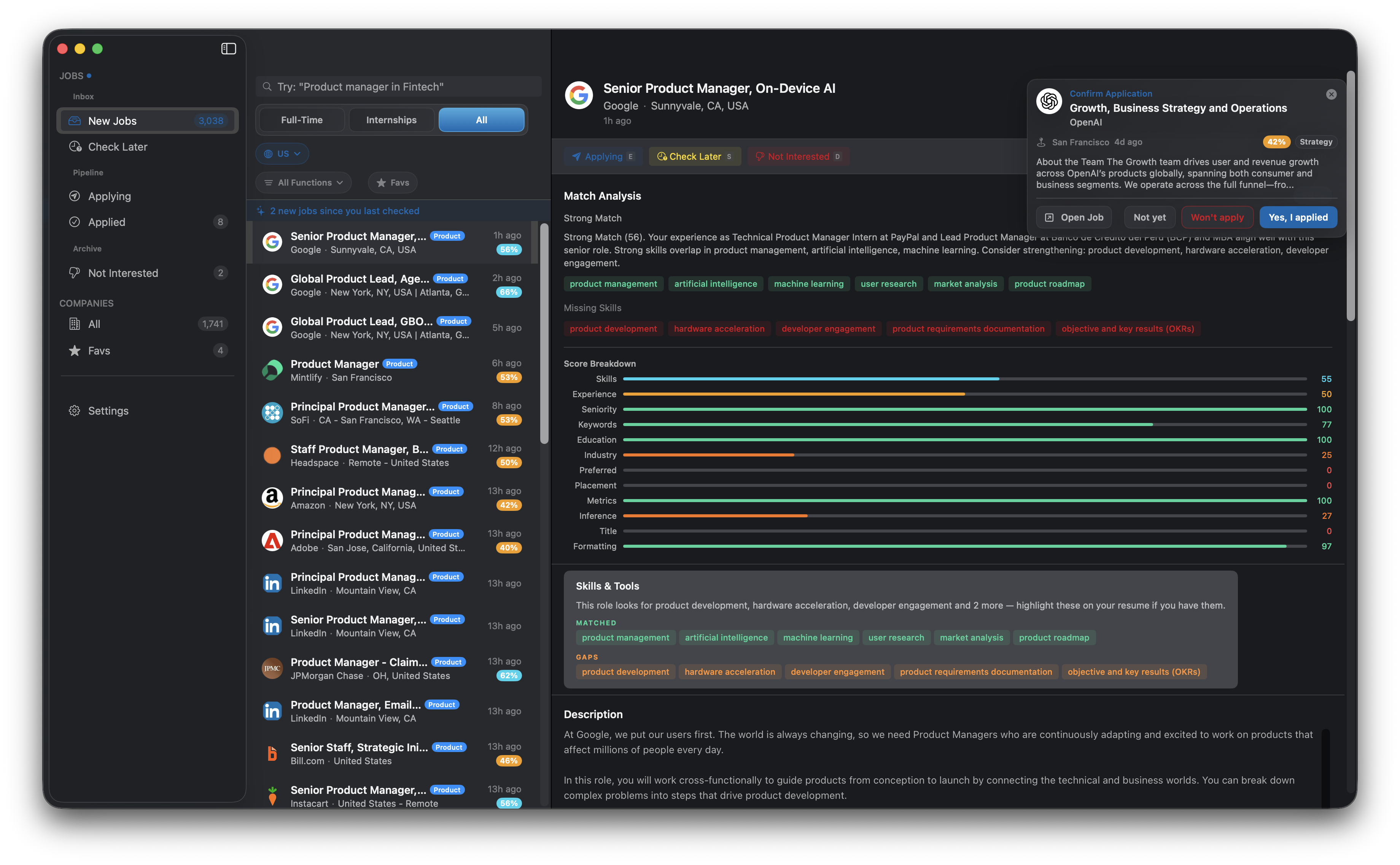
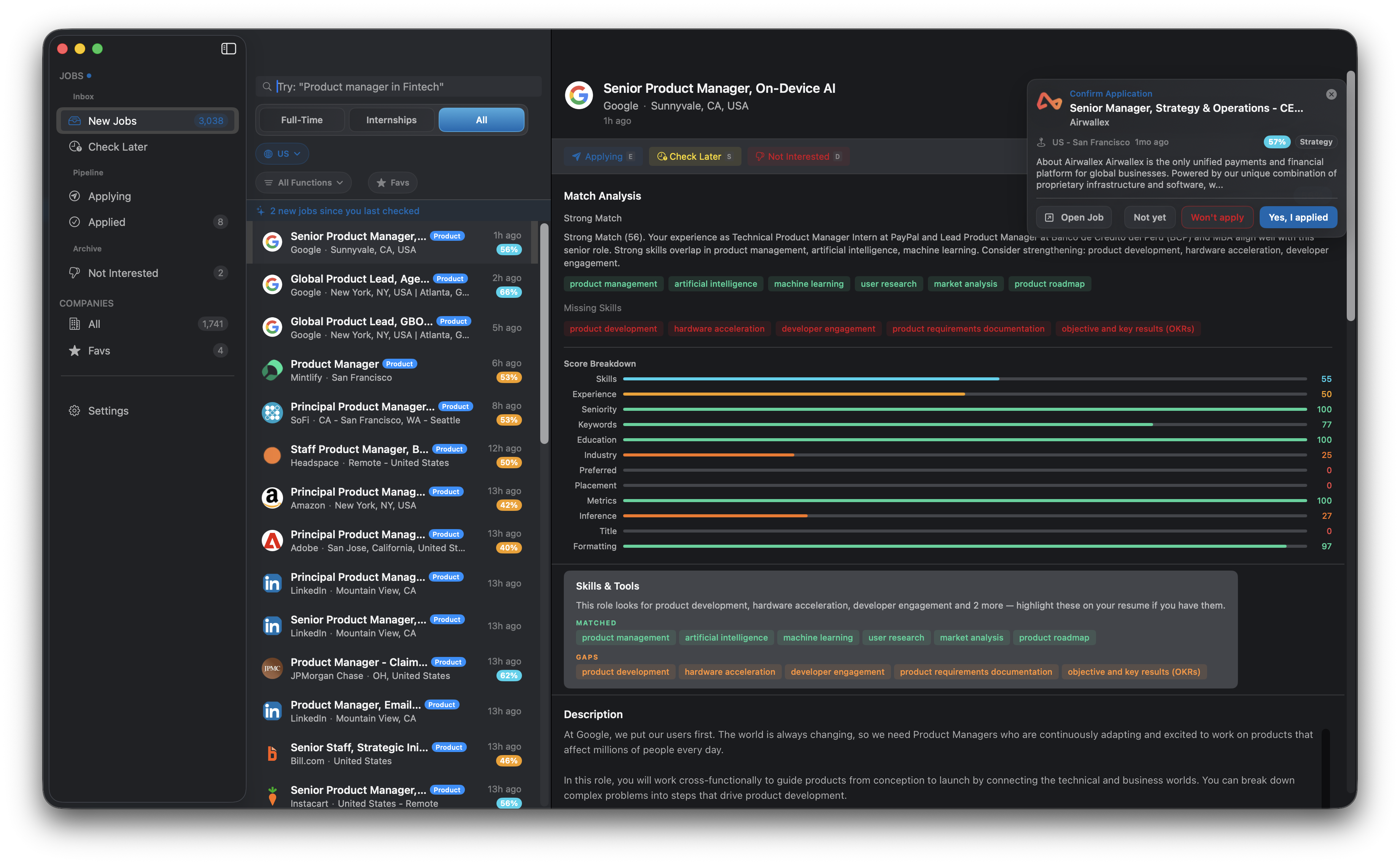
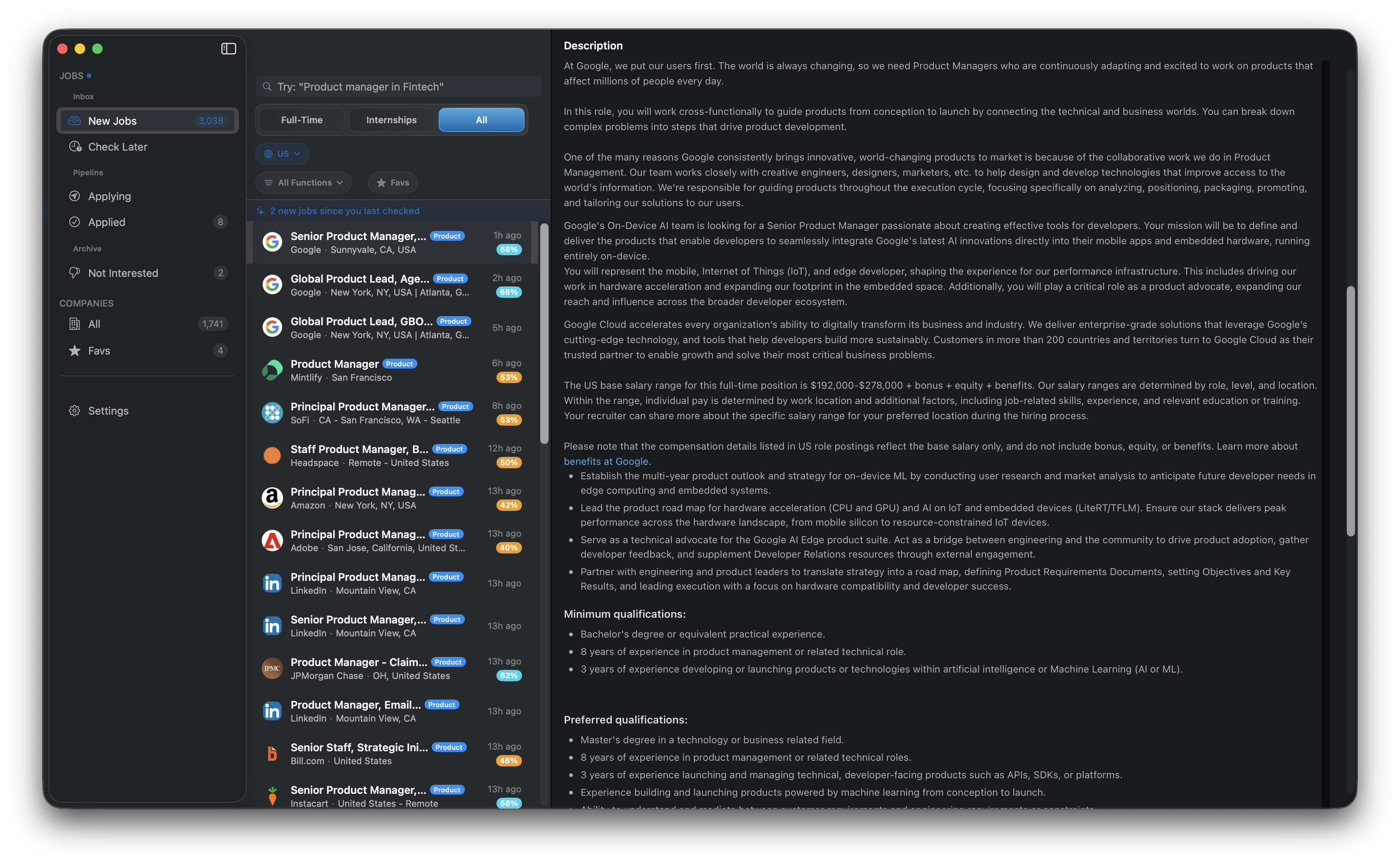
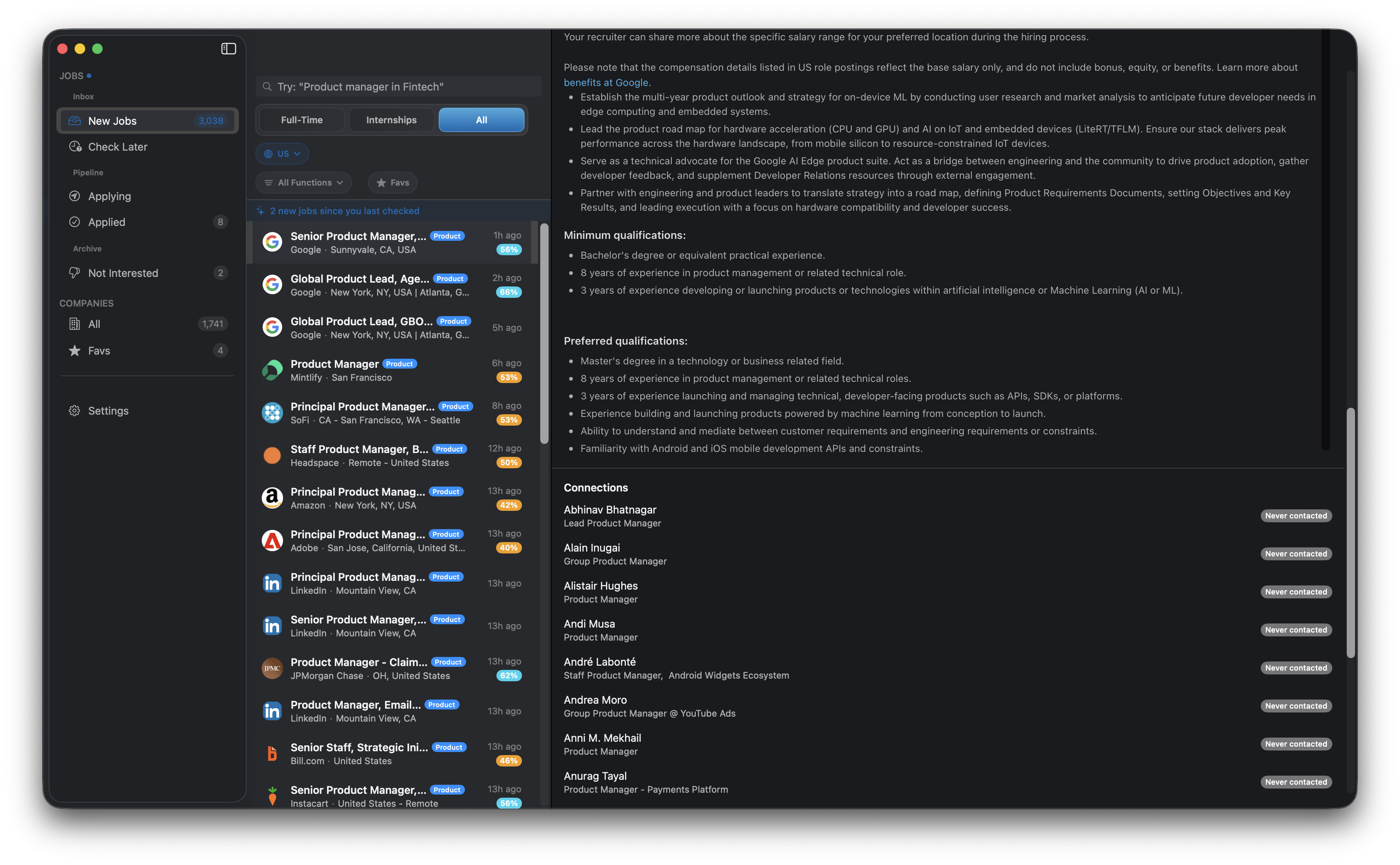
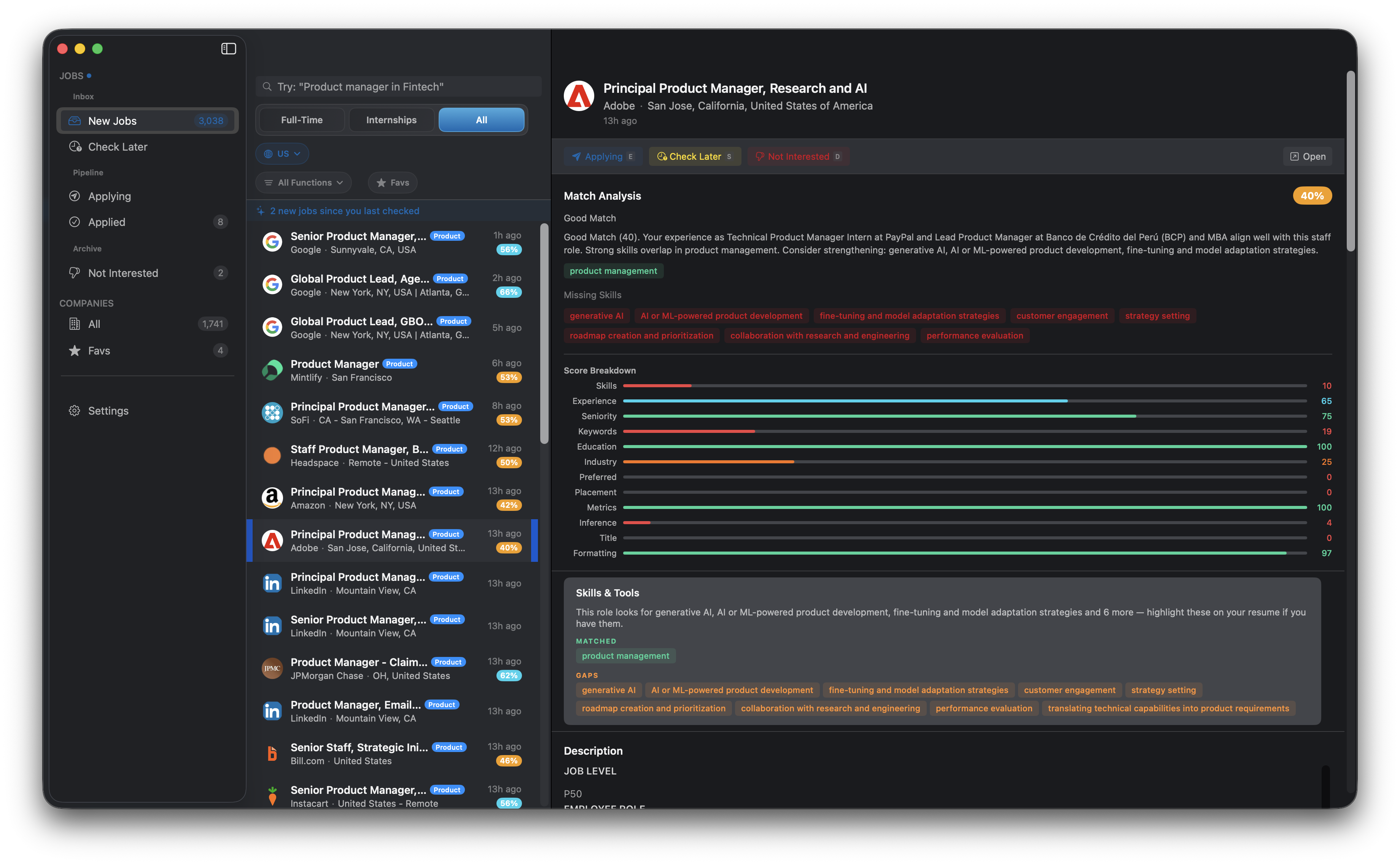
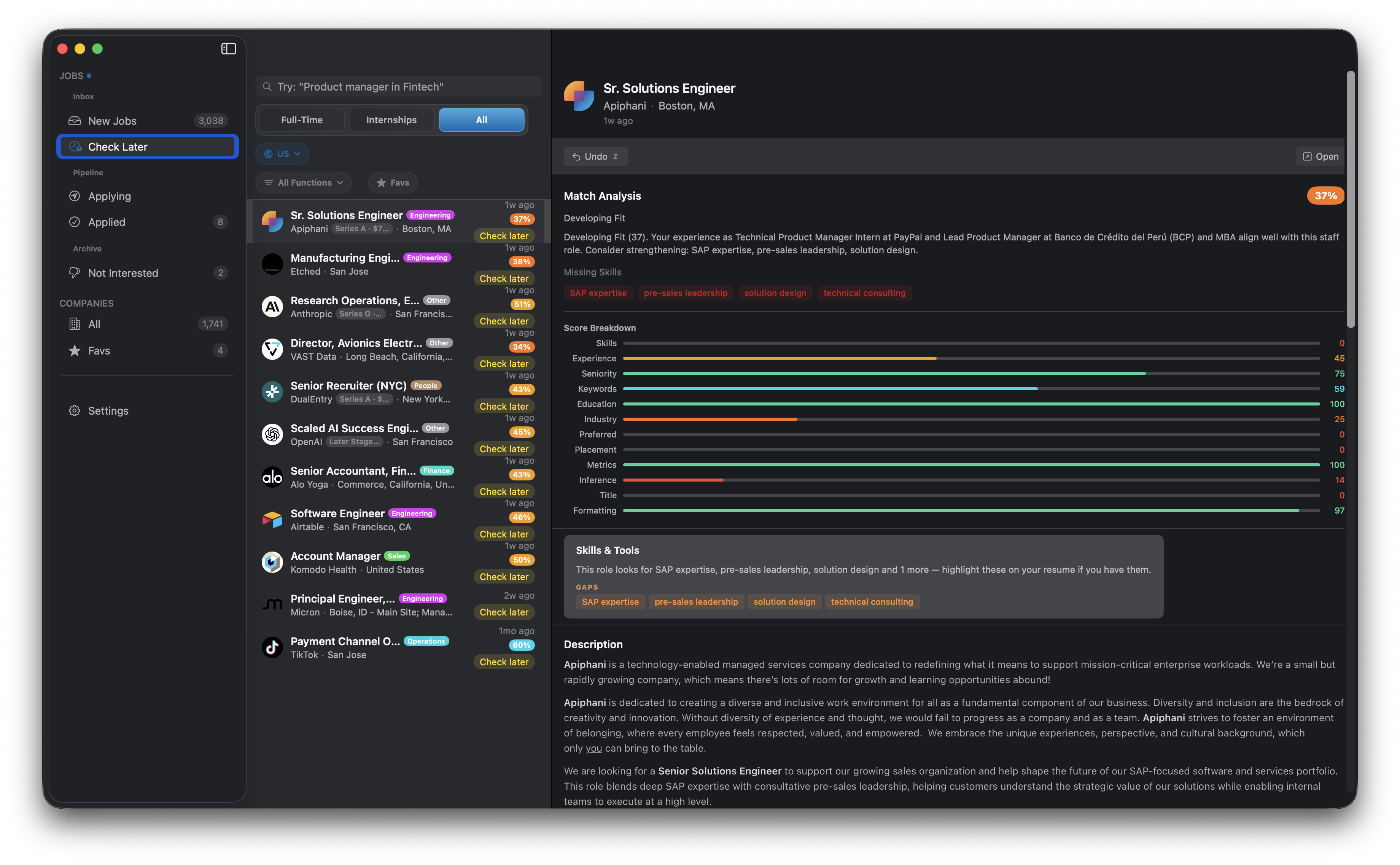
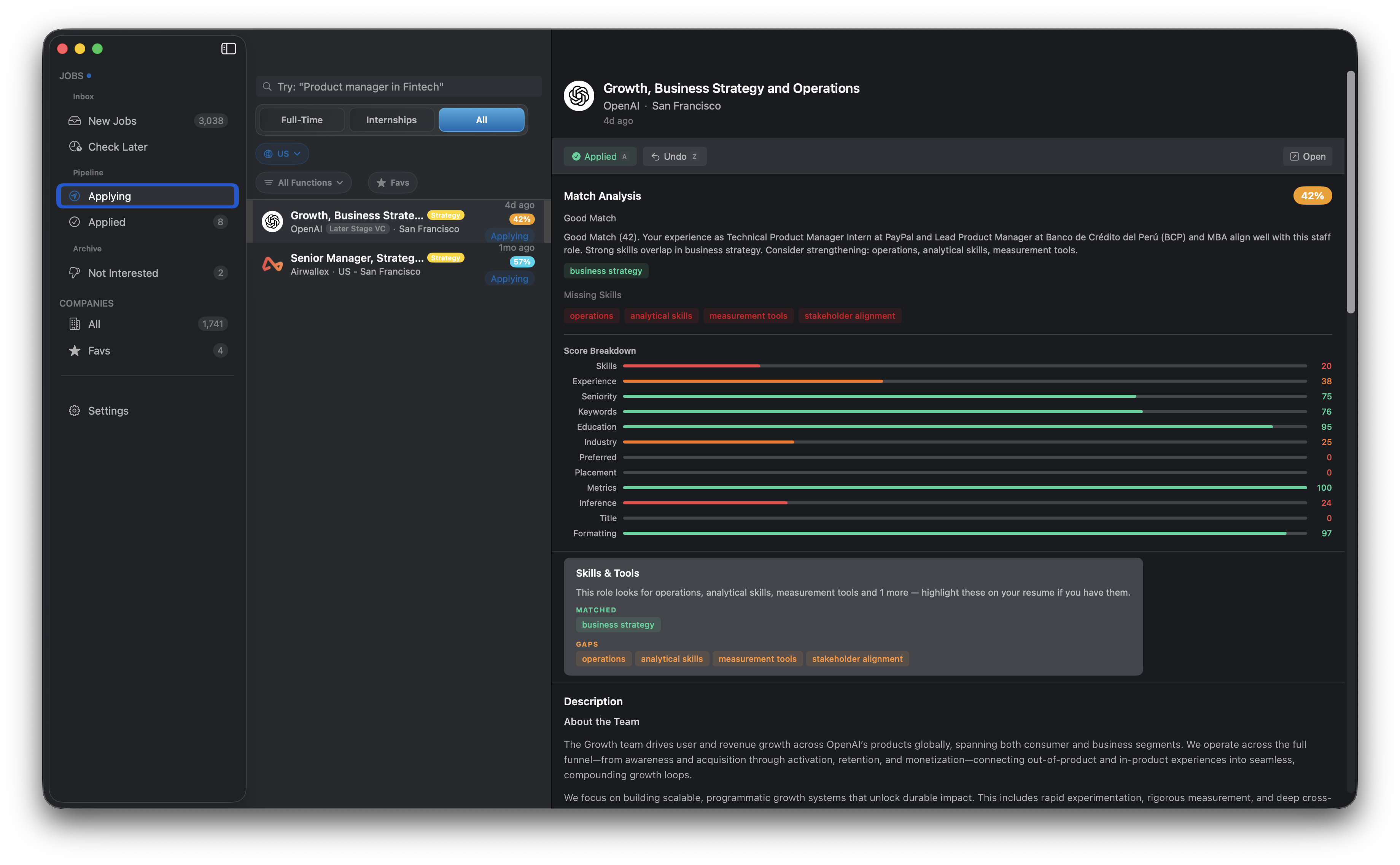
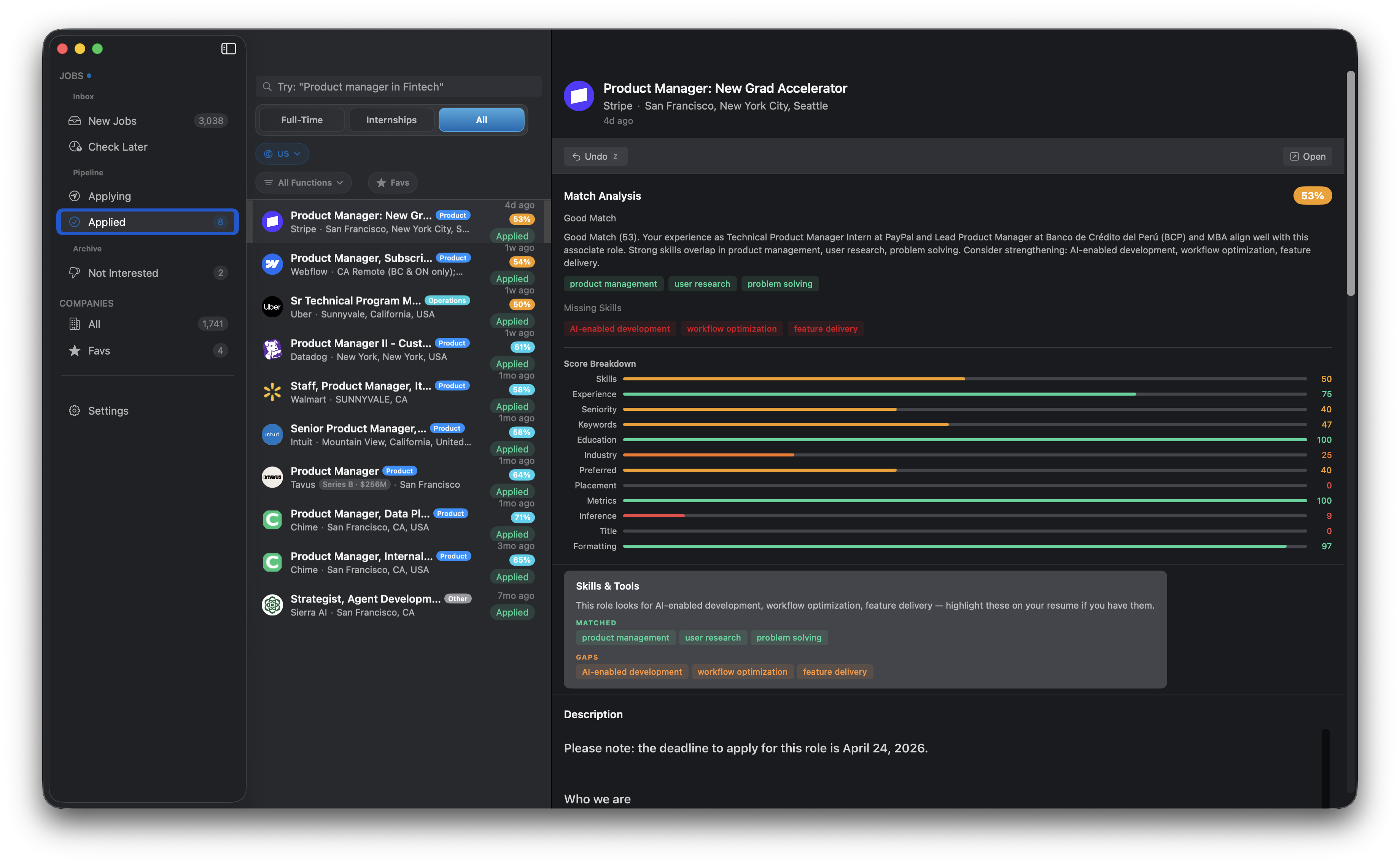
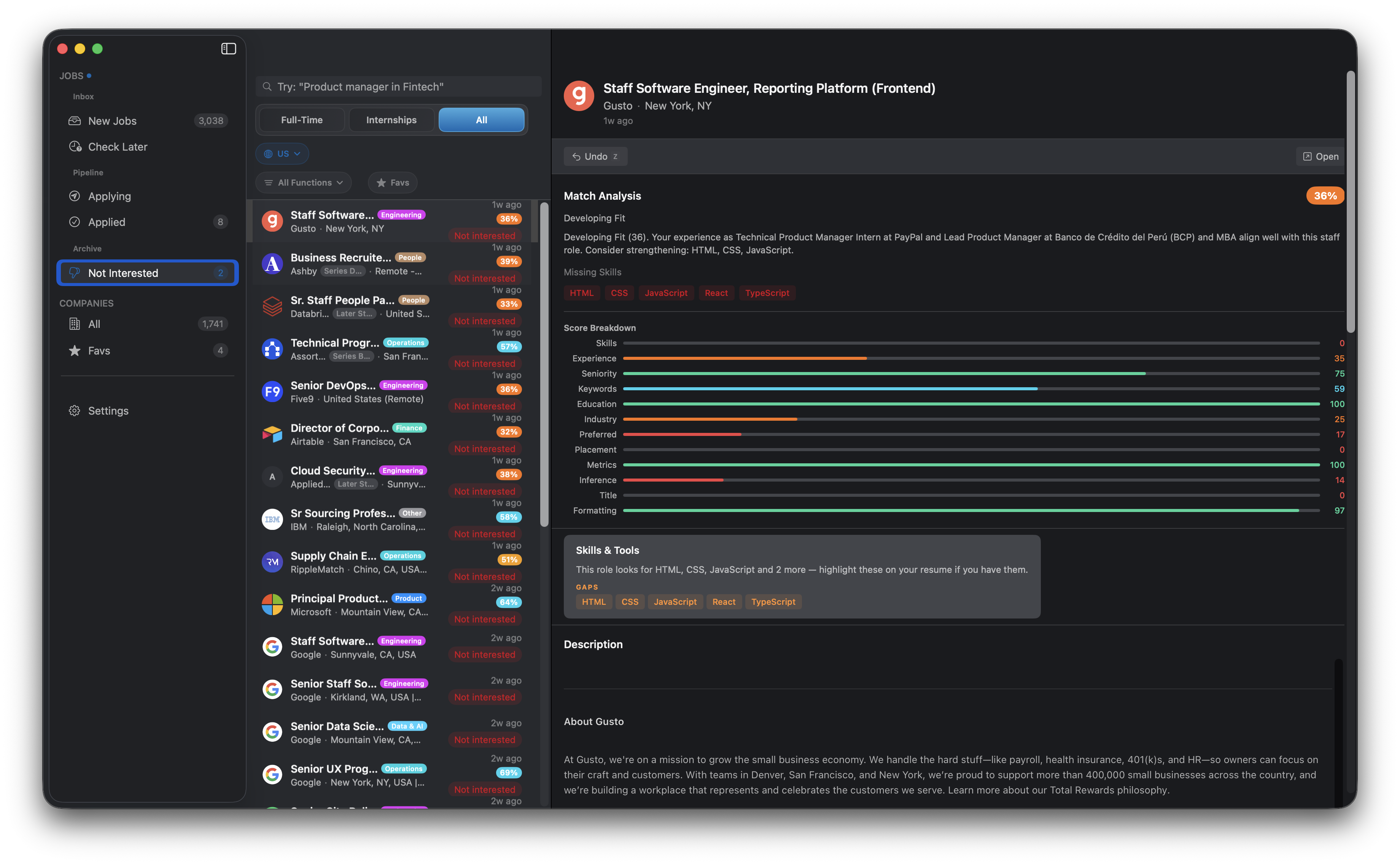
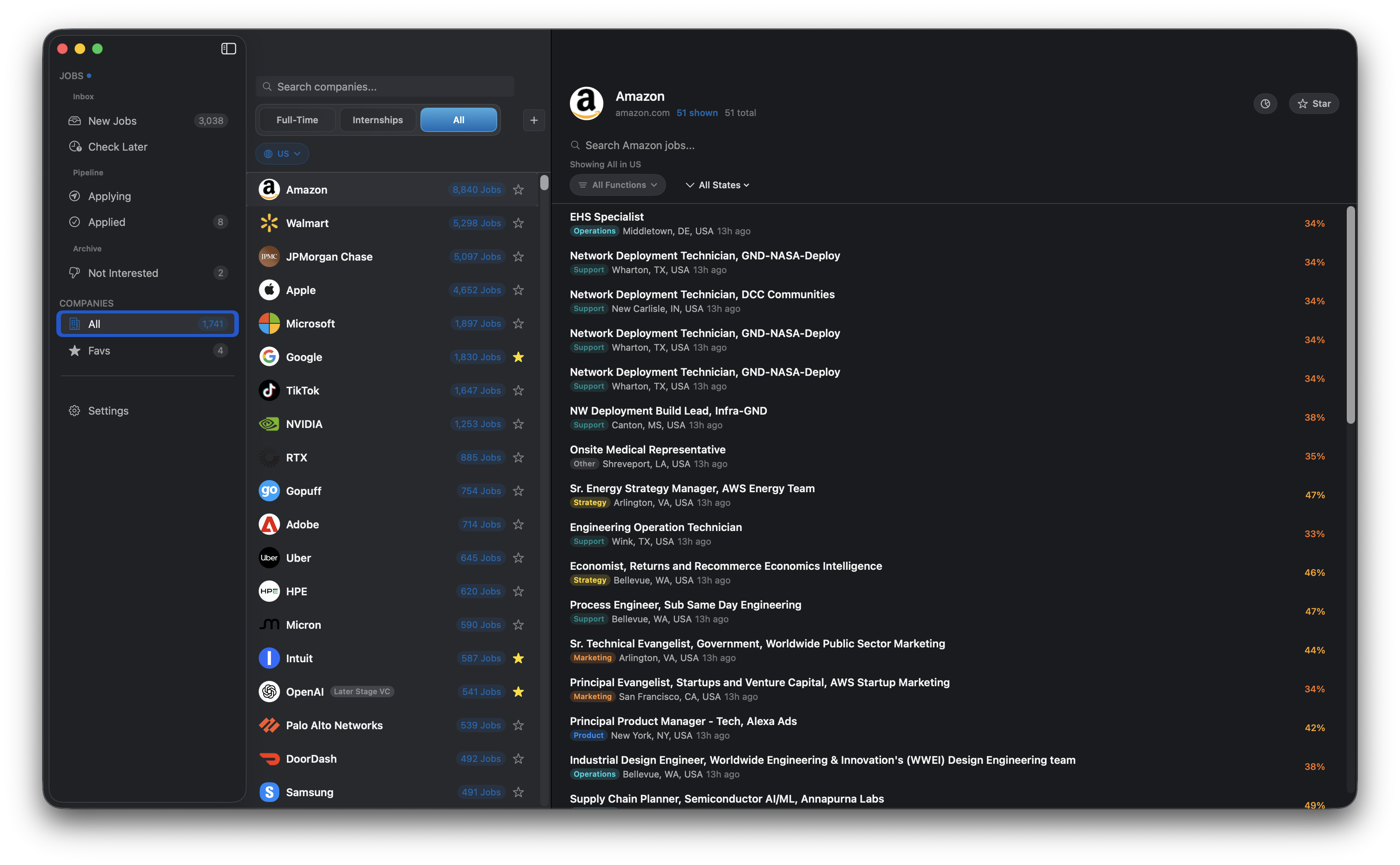
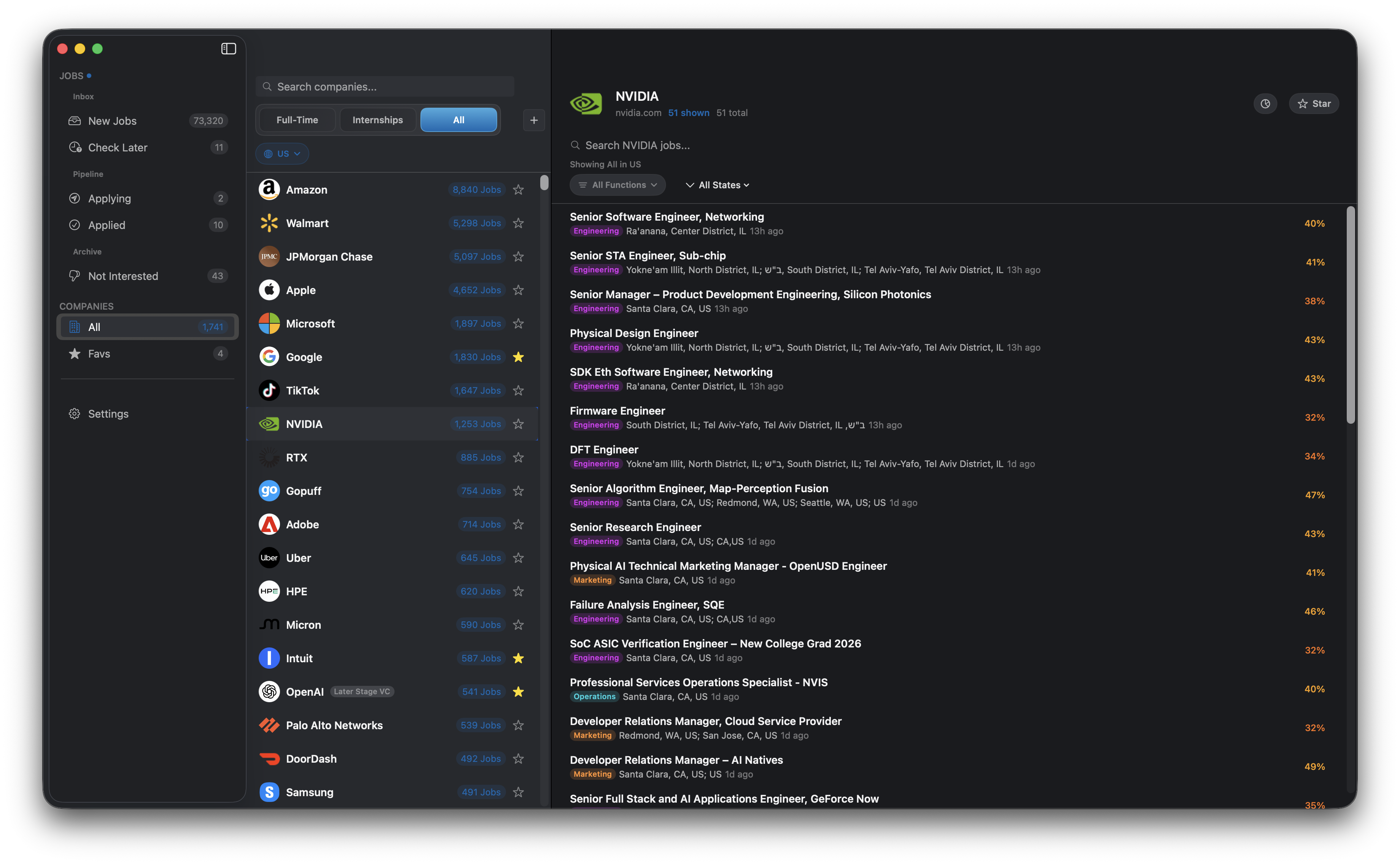
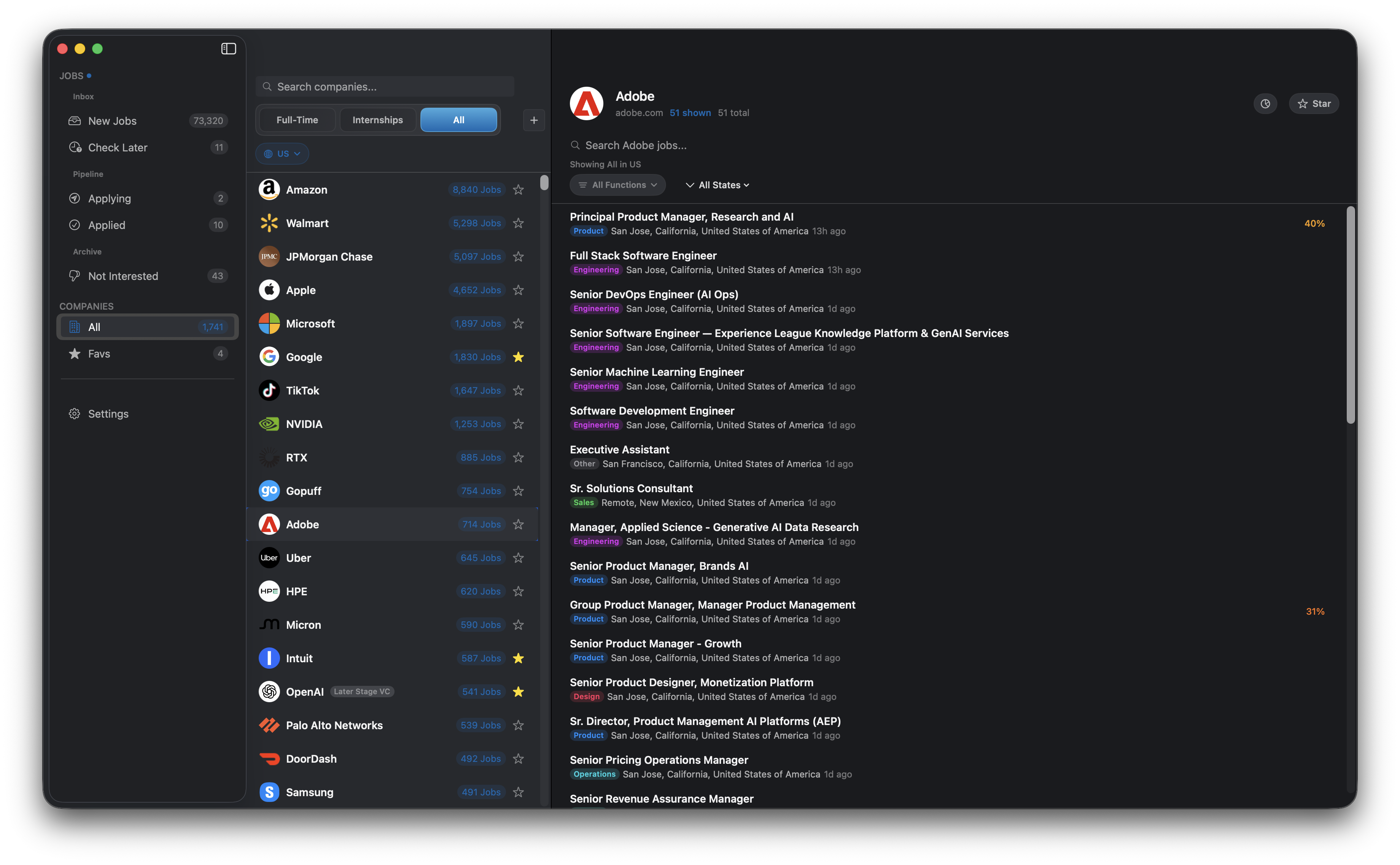
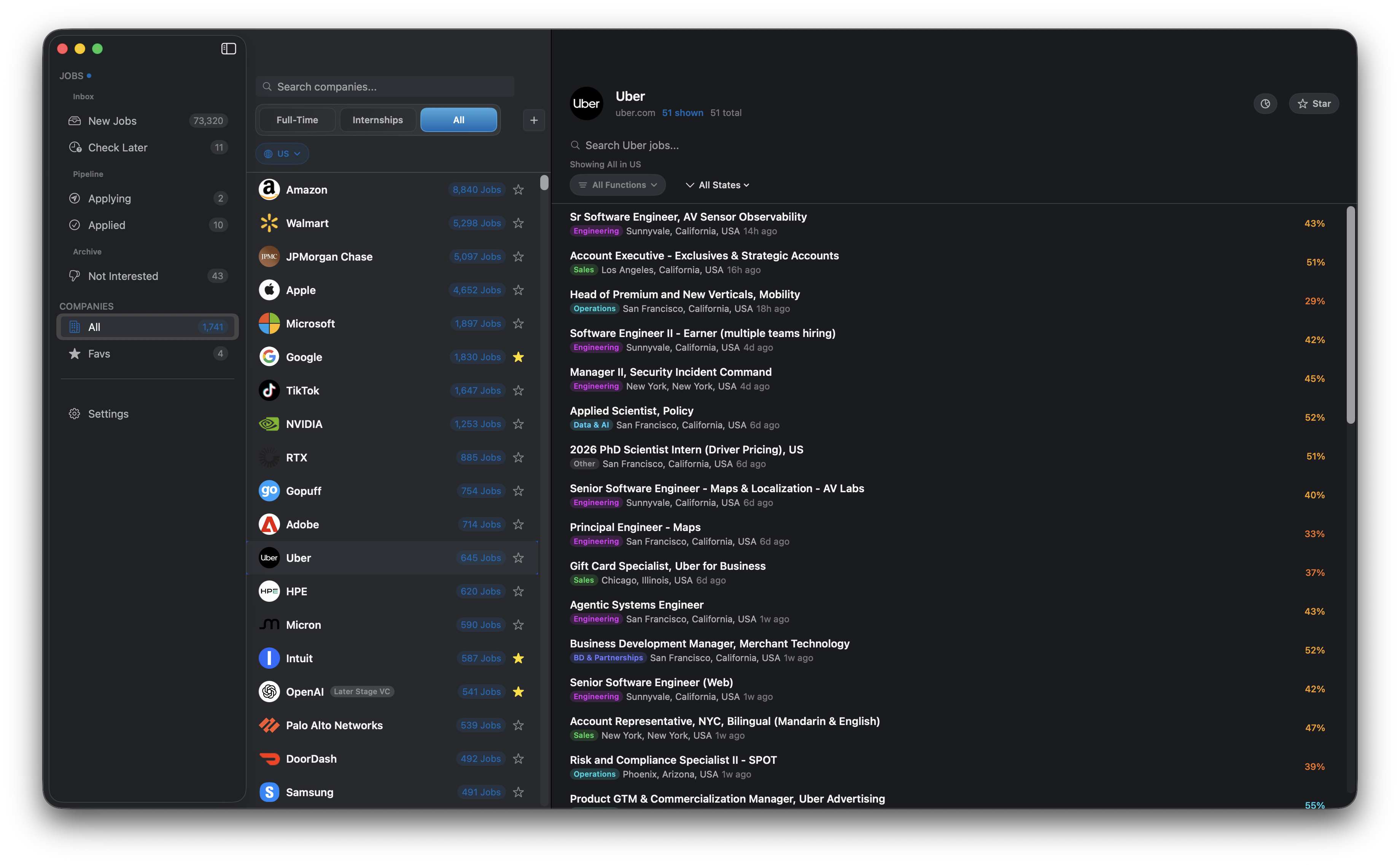
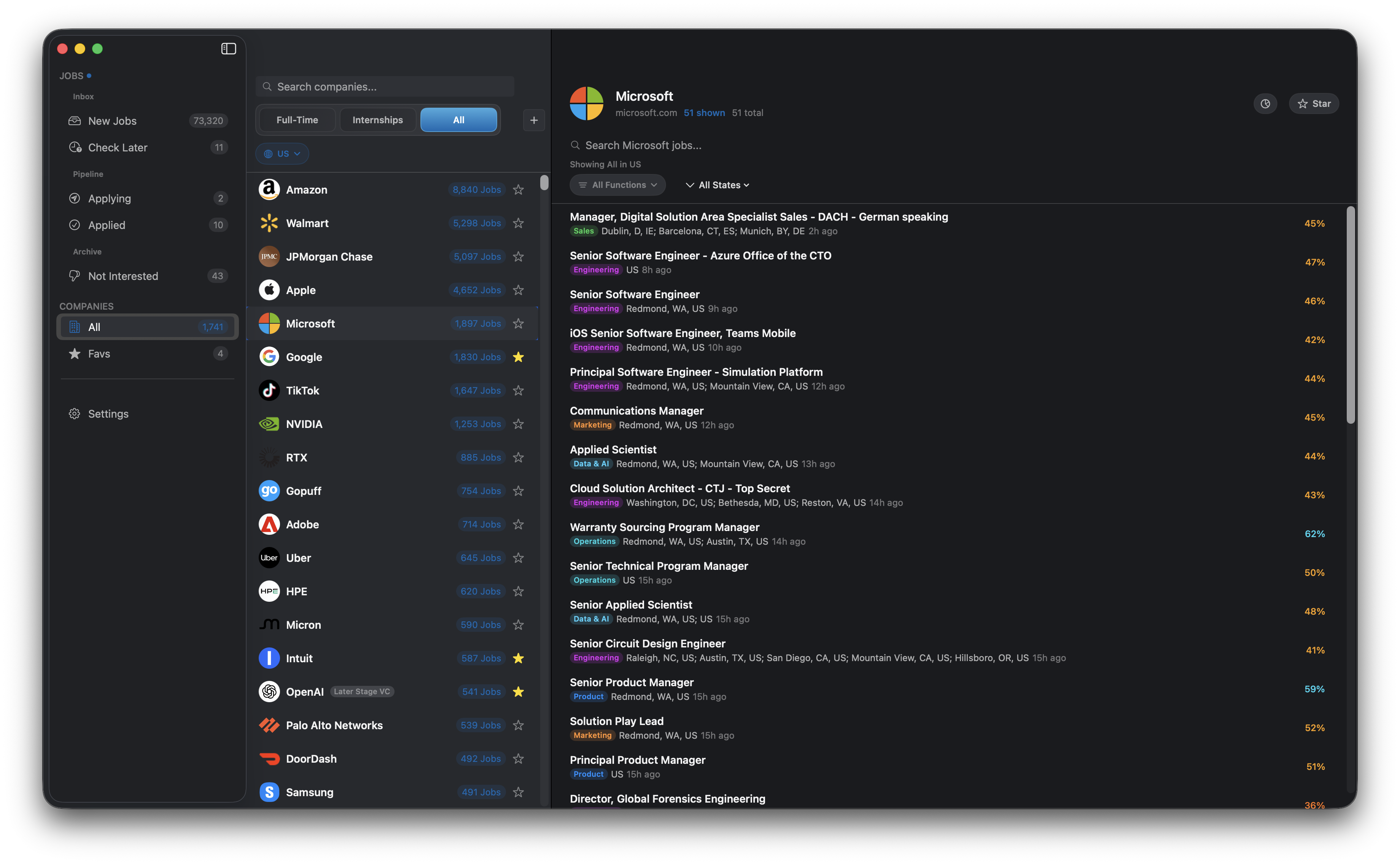
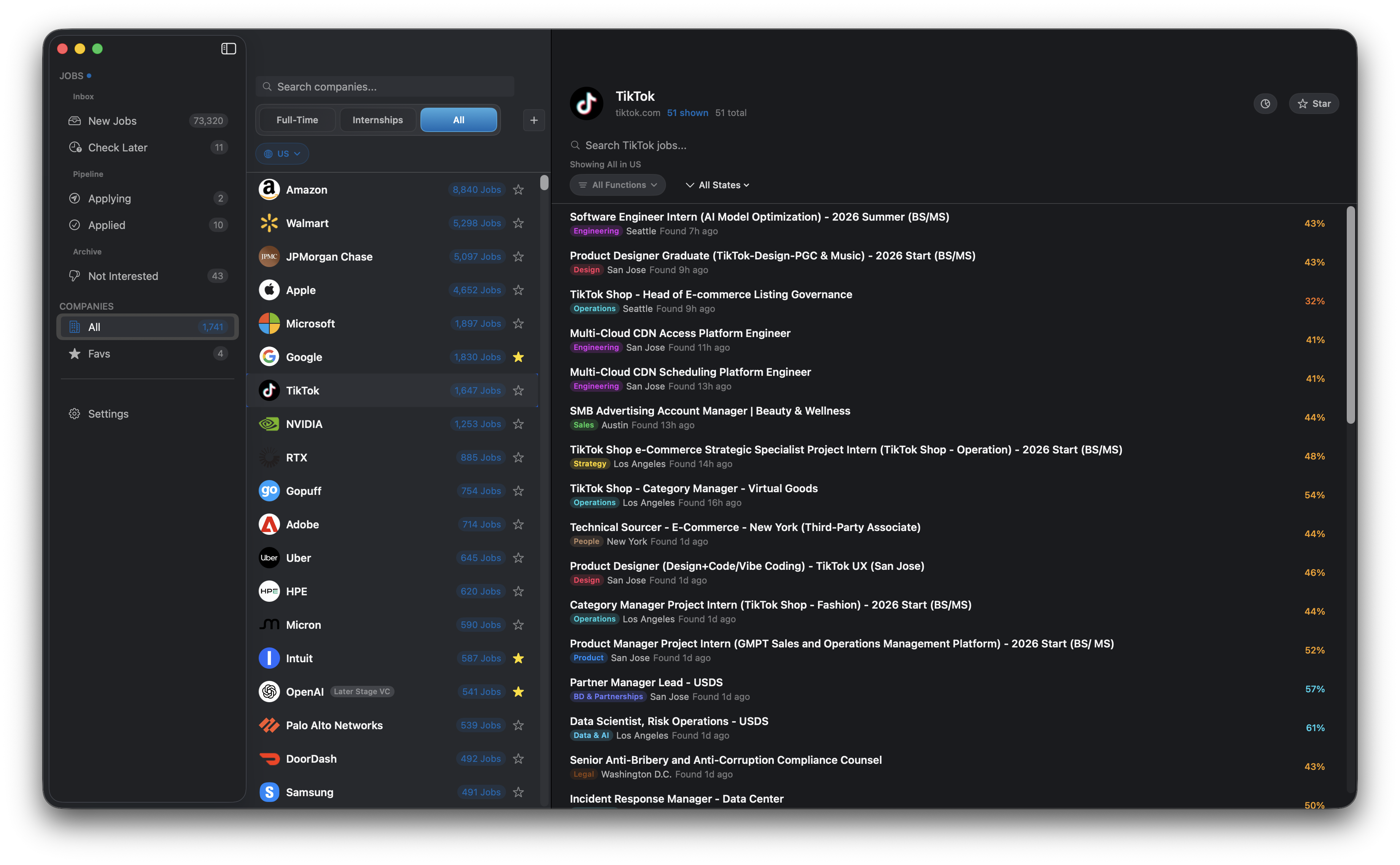
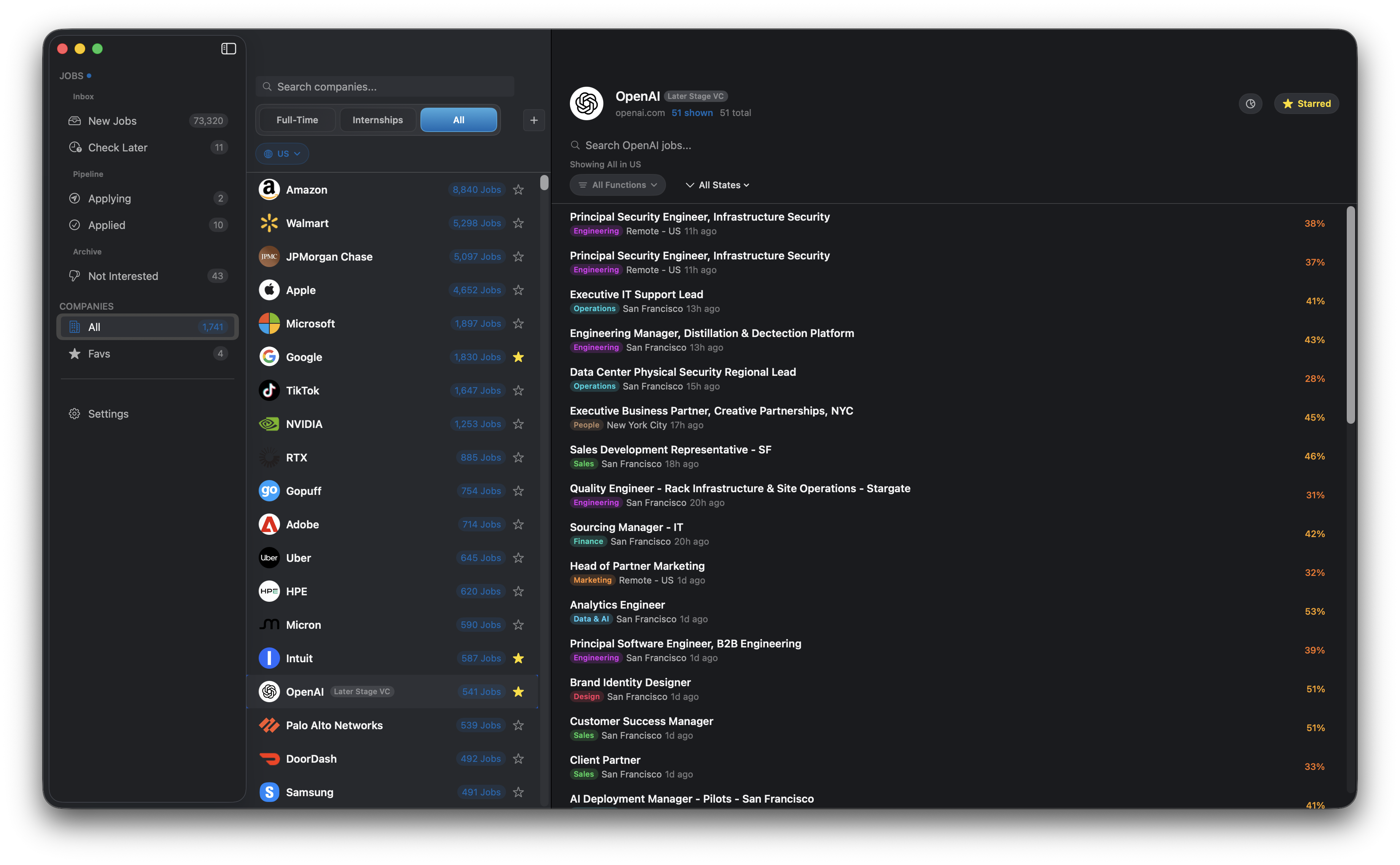
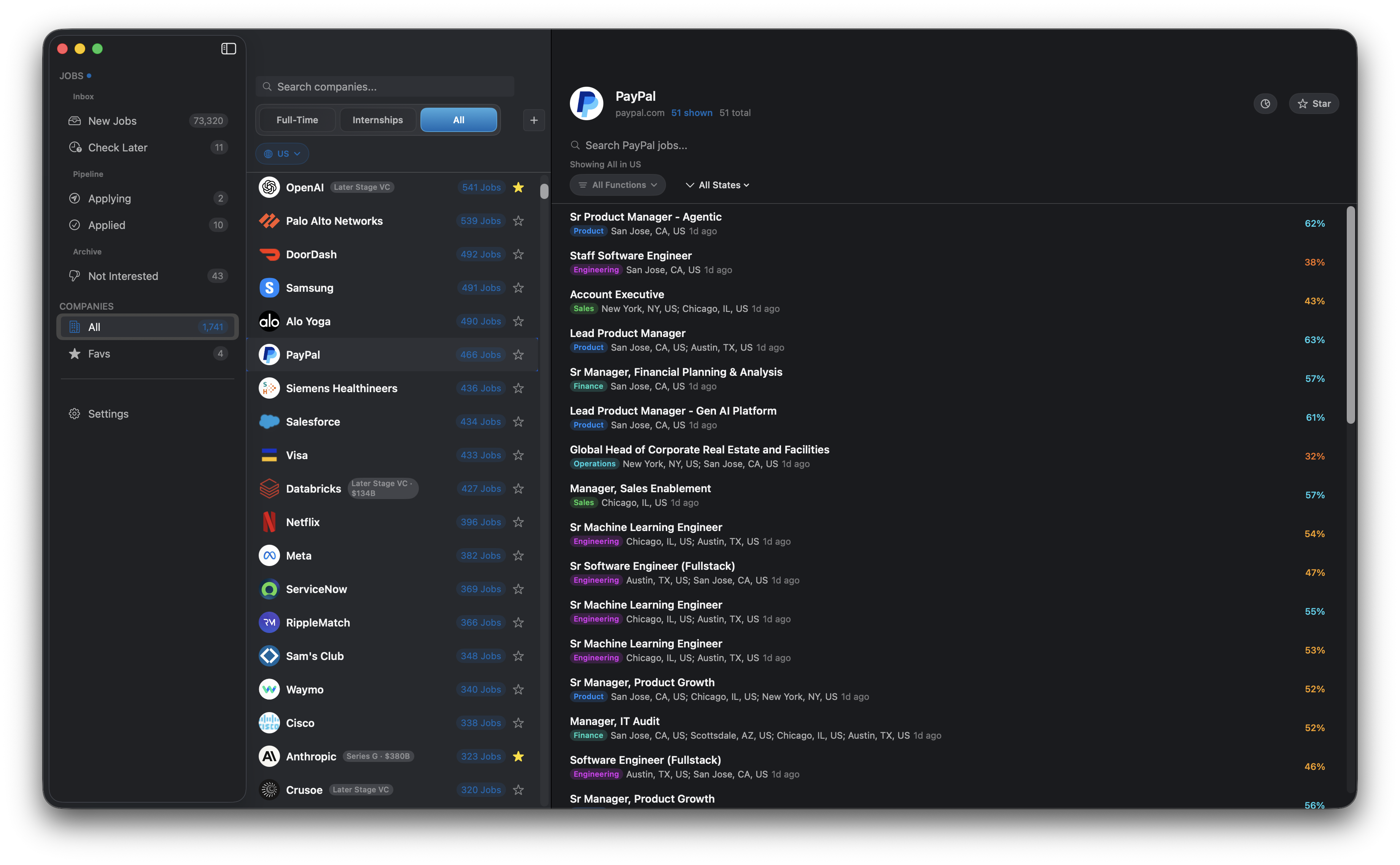
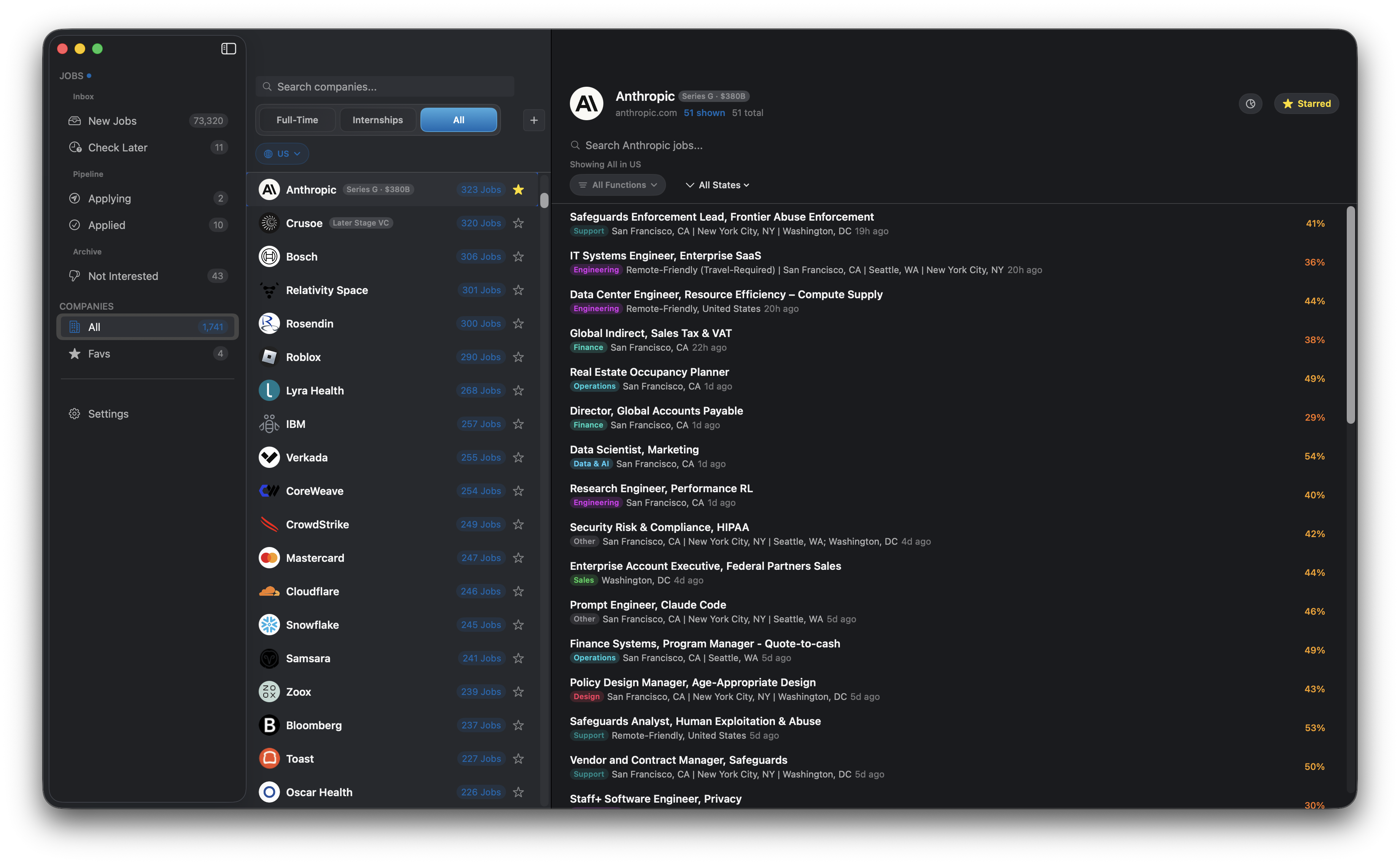
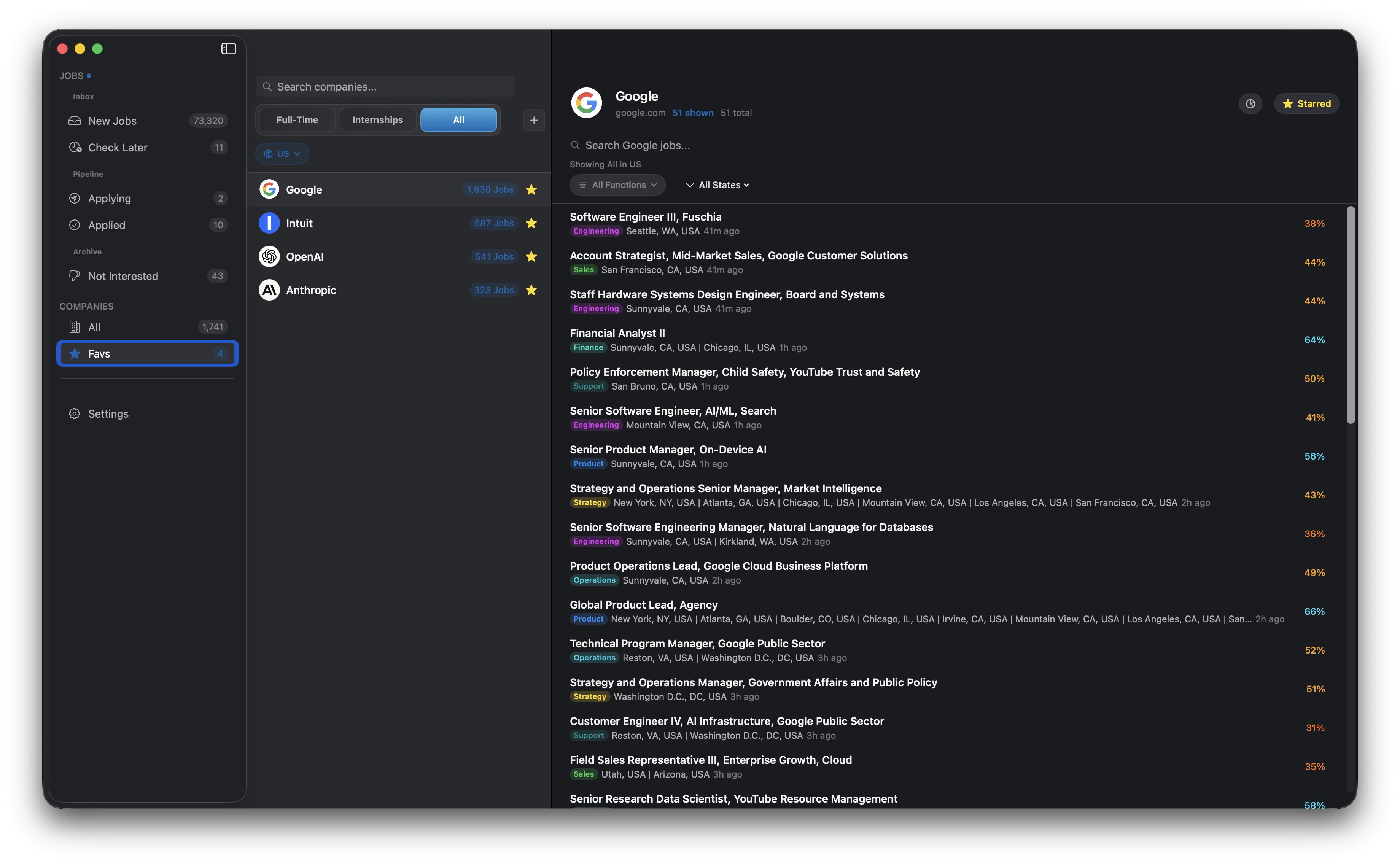
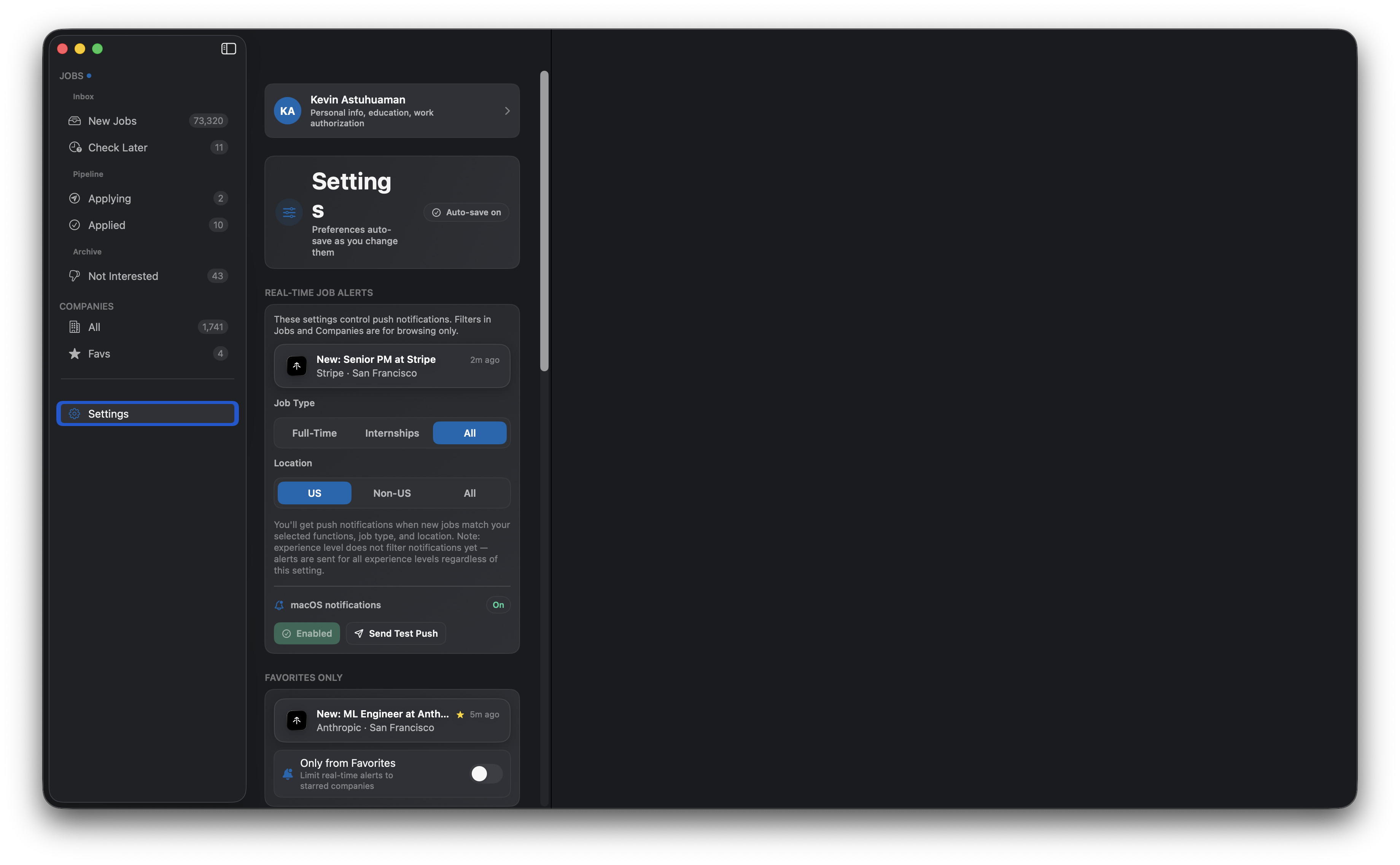
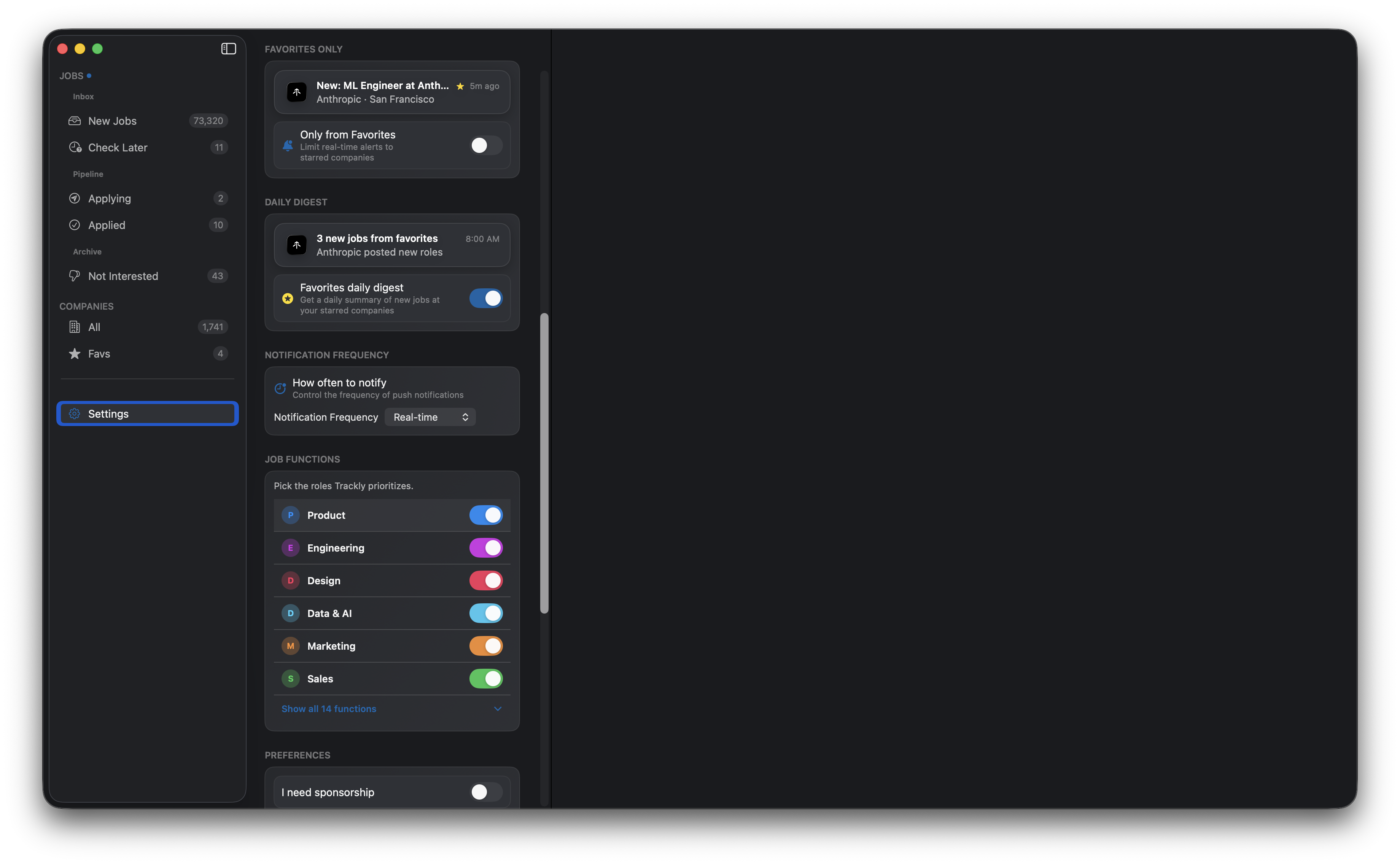
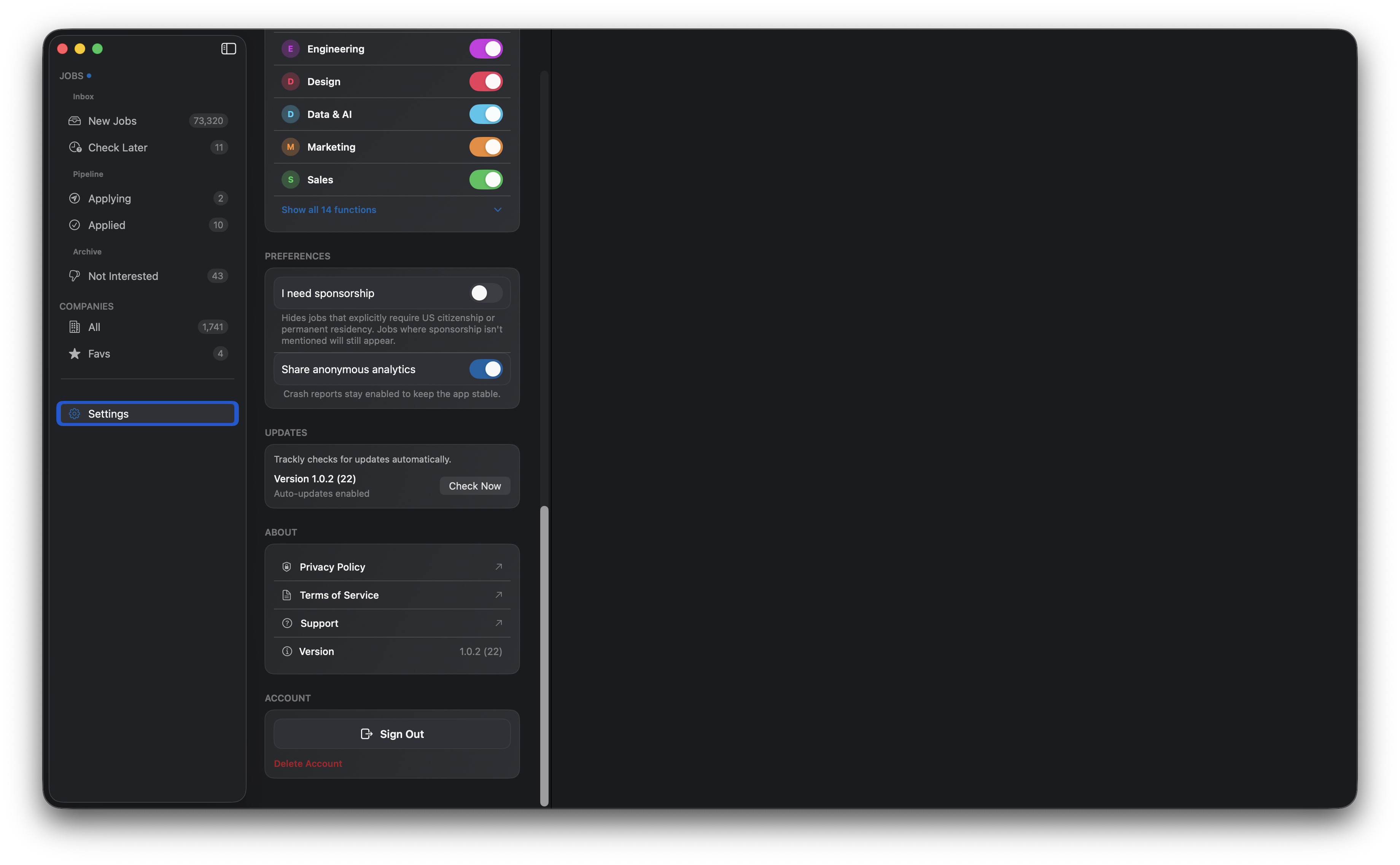
iOS App (29 screenshots)
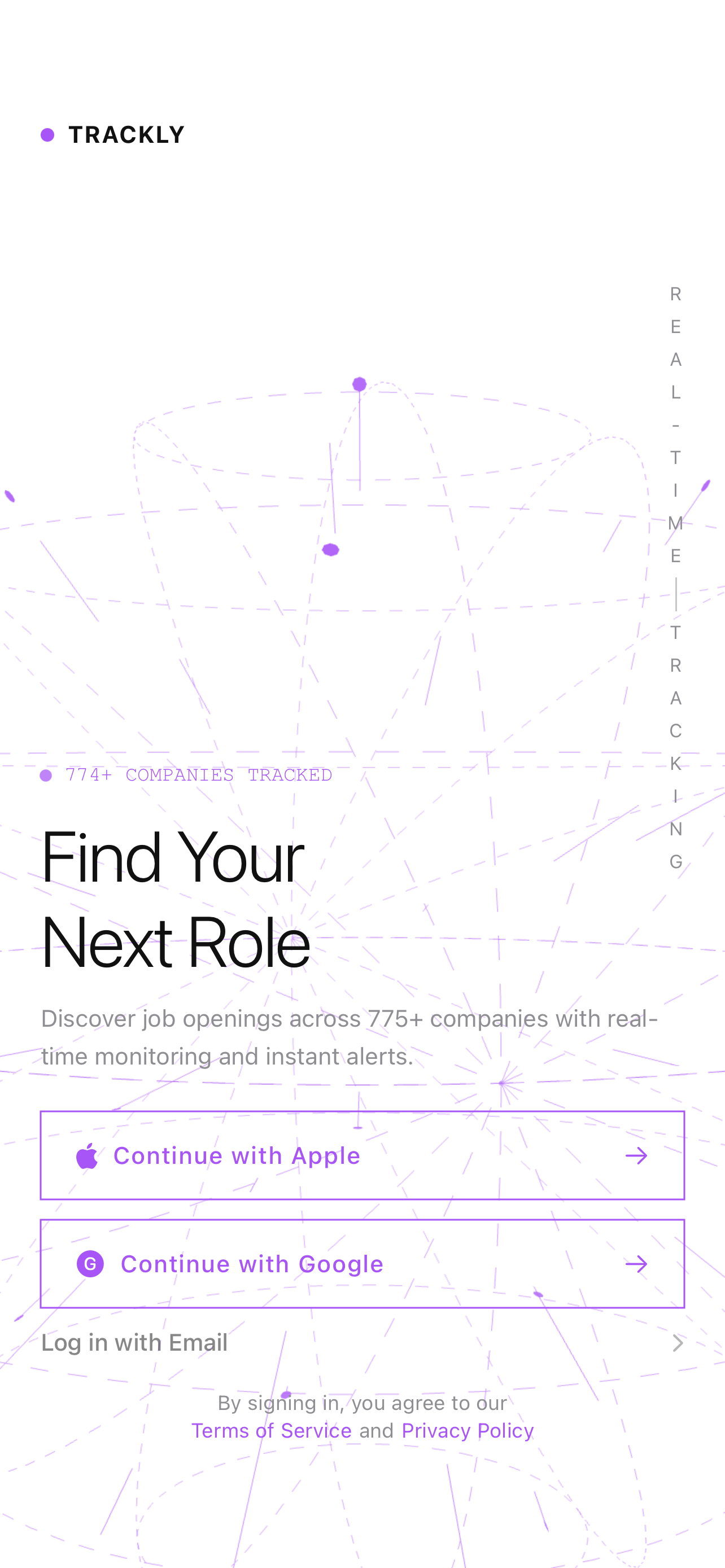
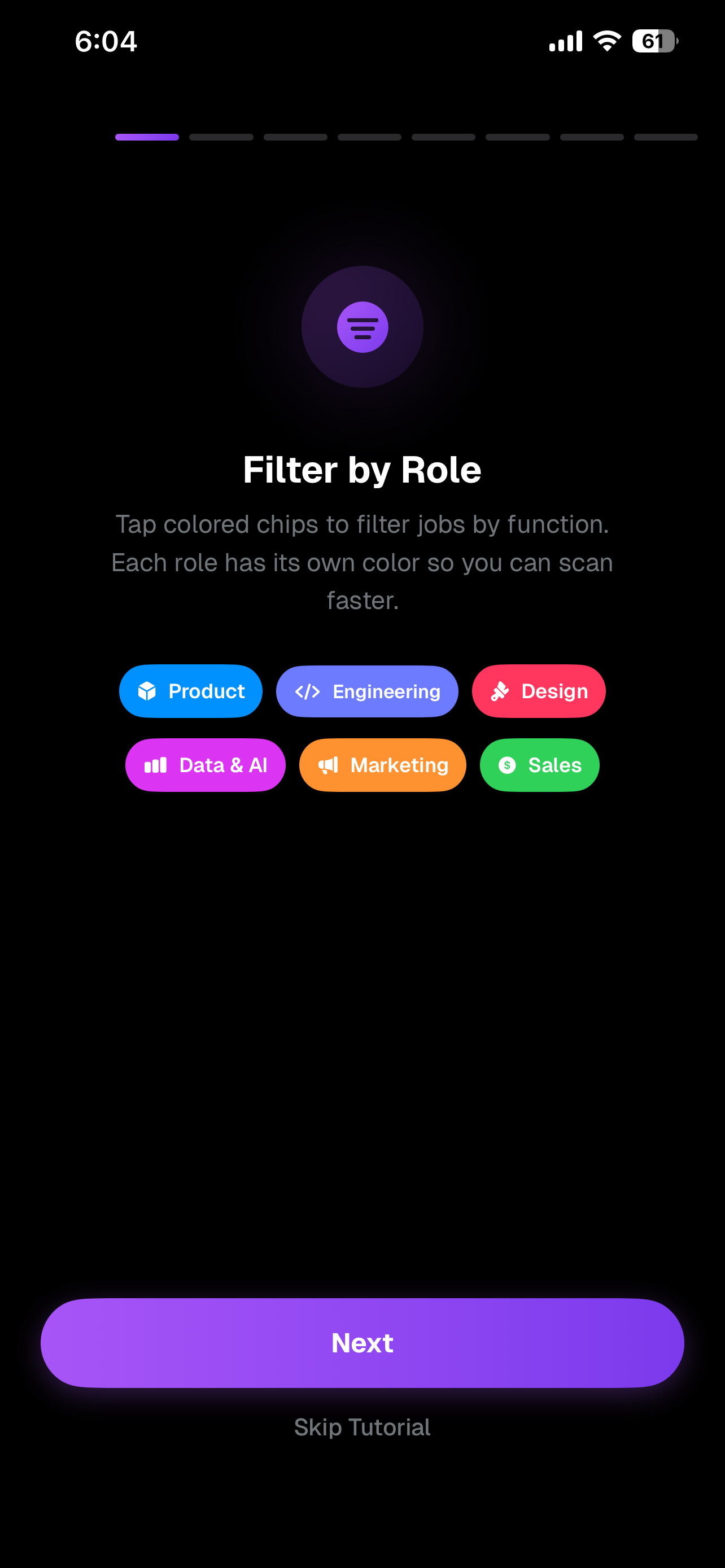
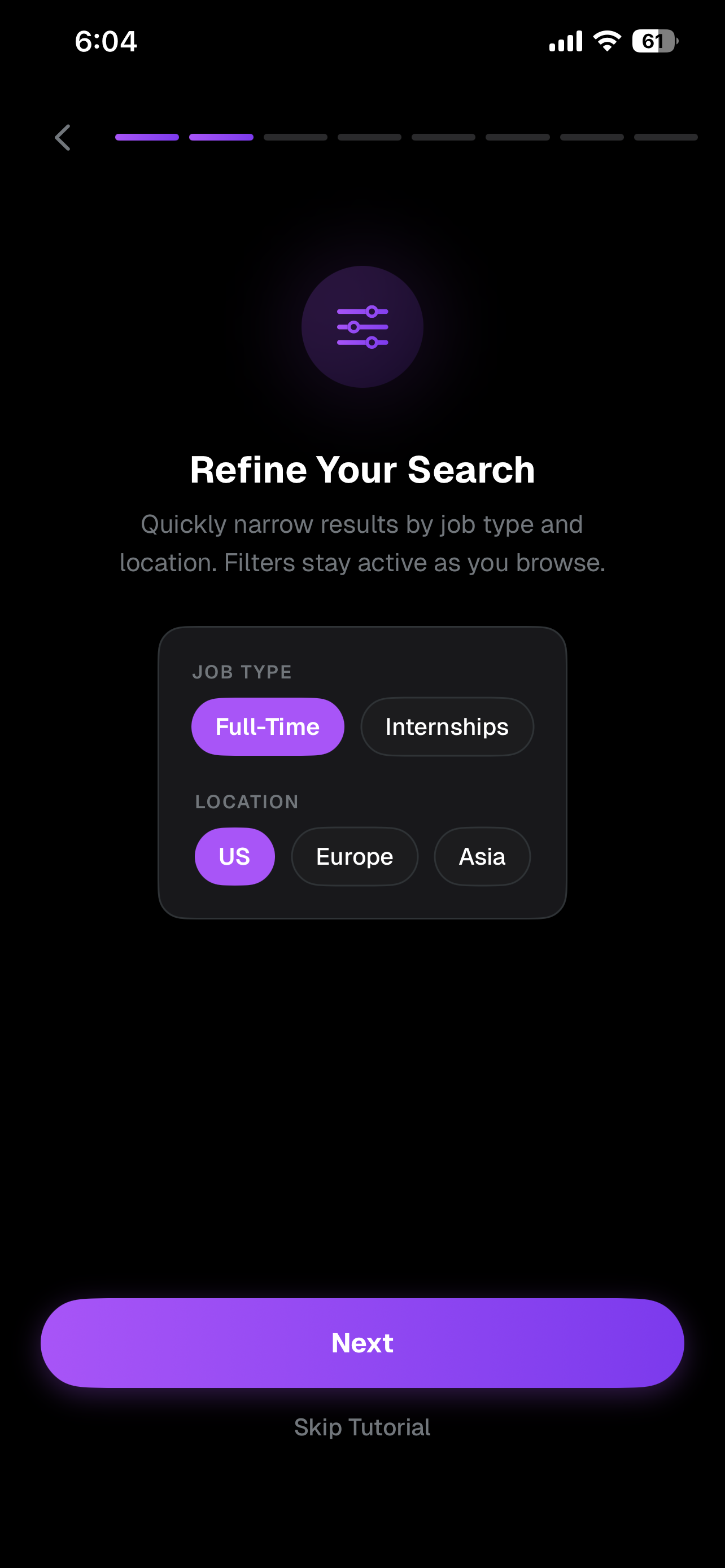
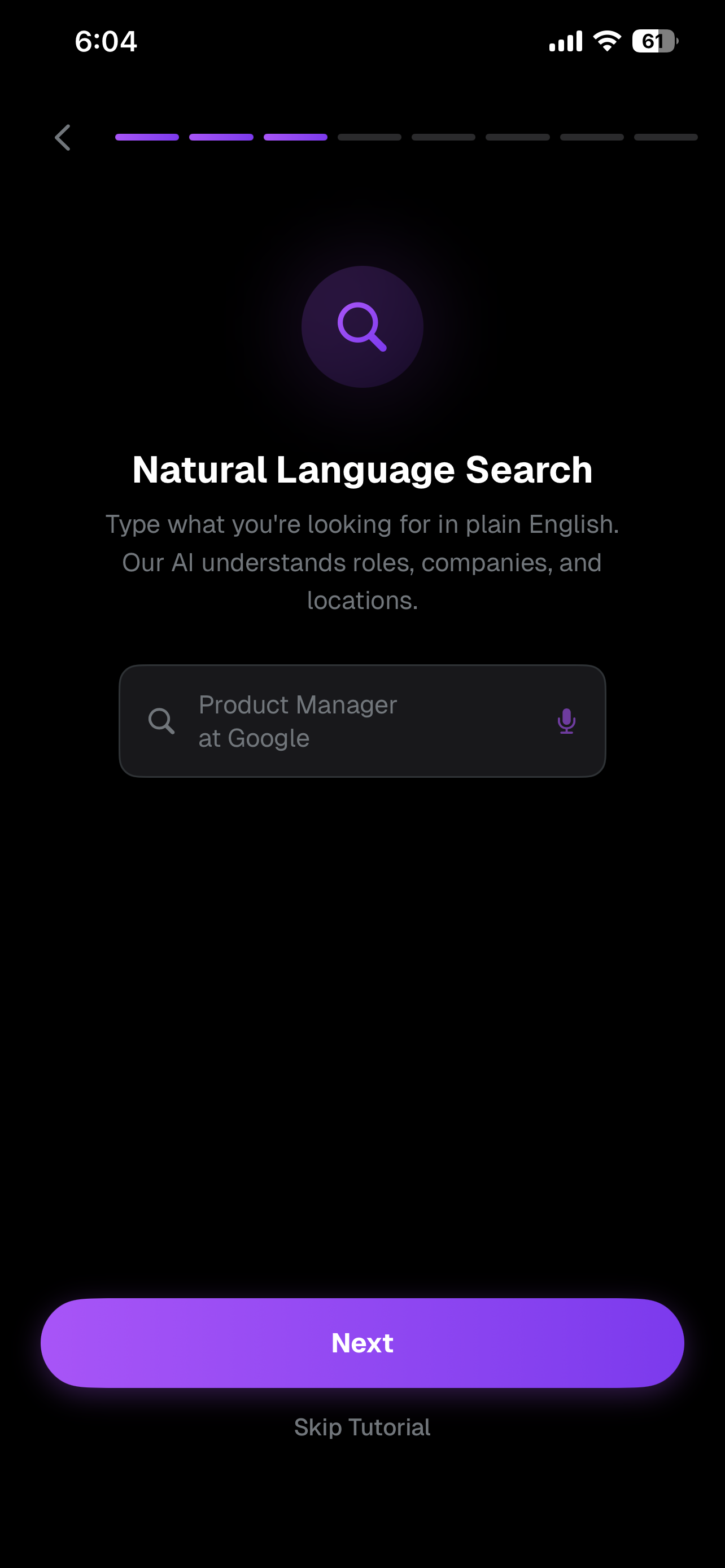
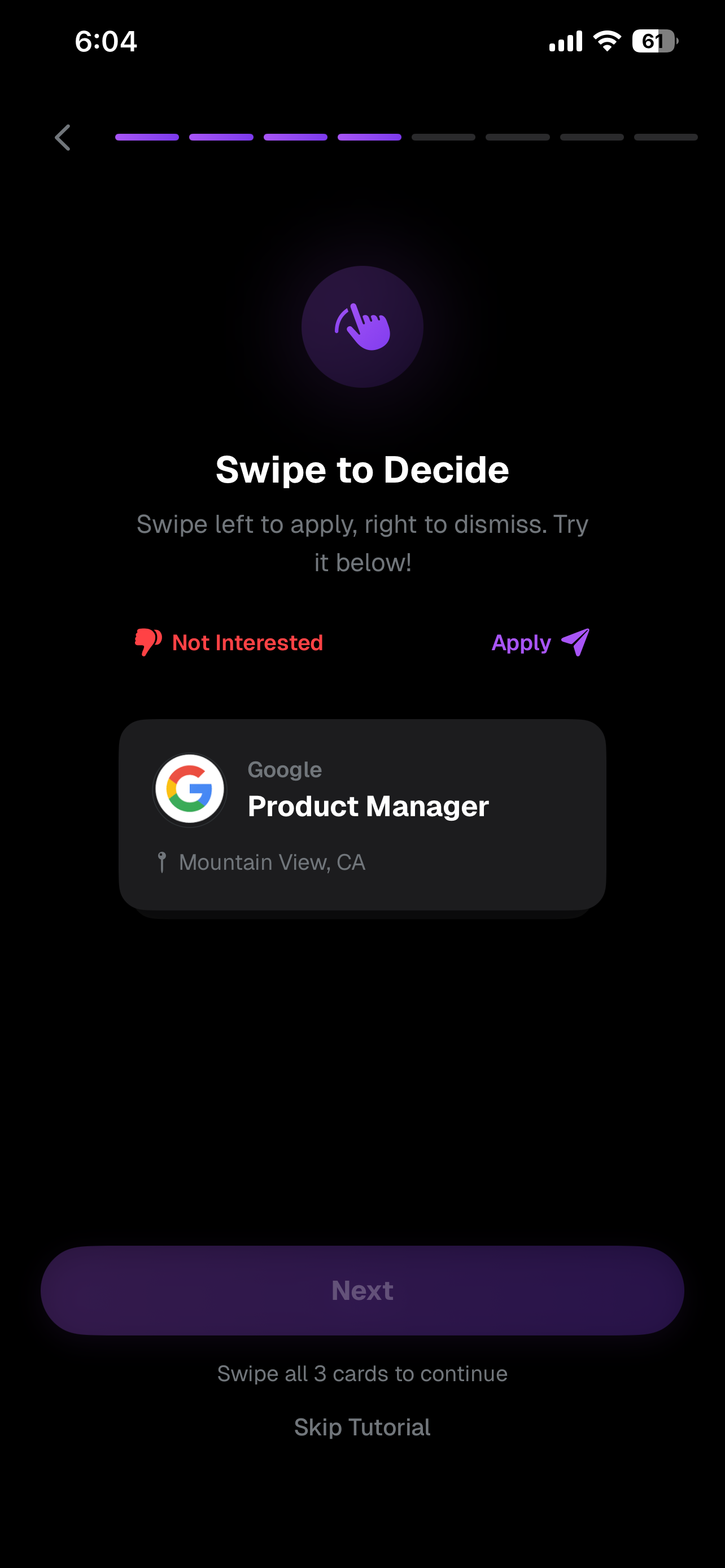
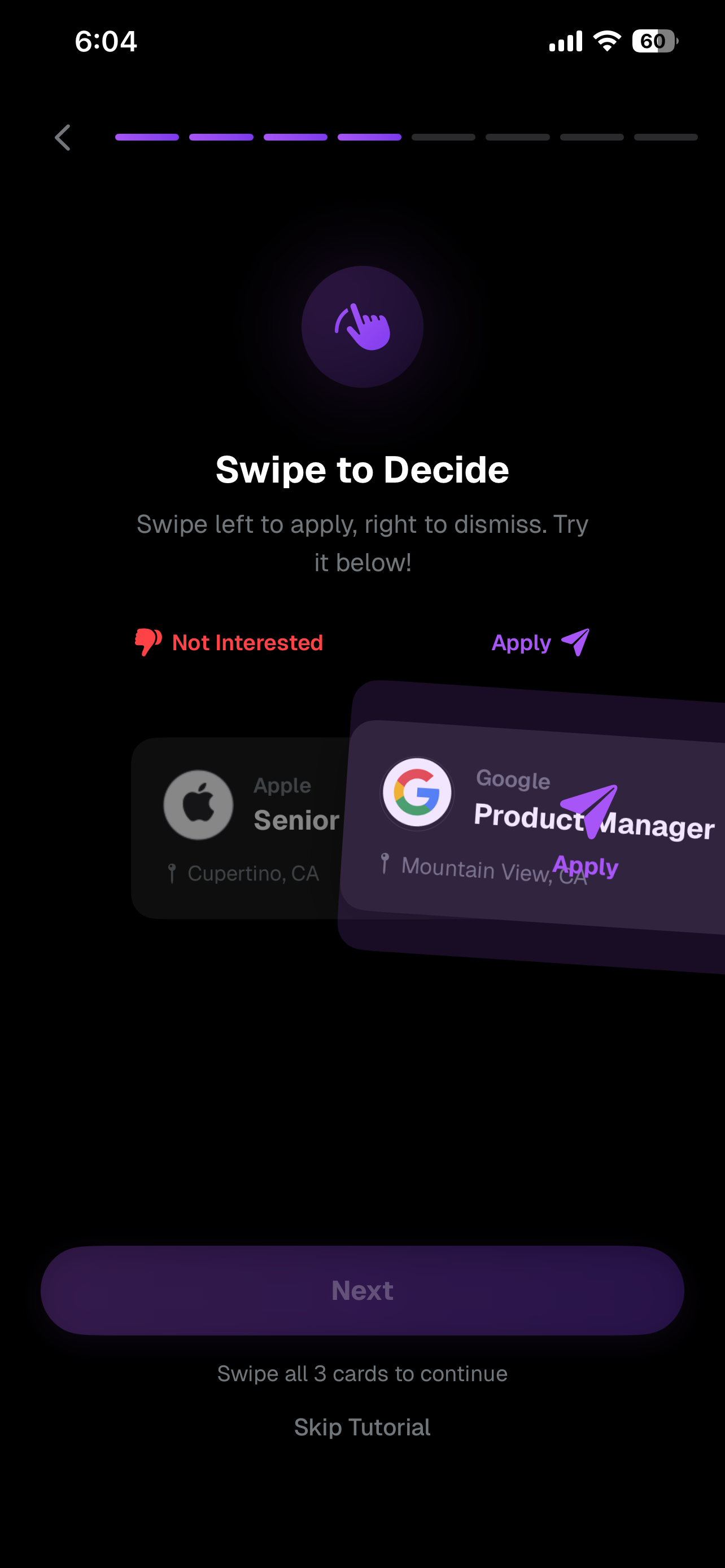
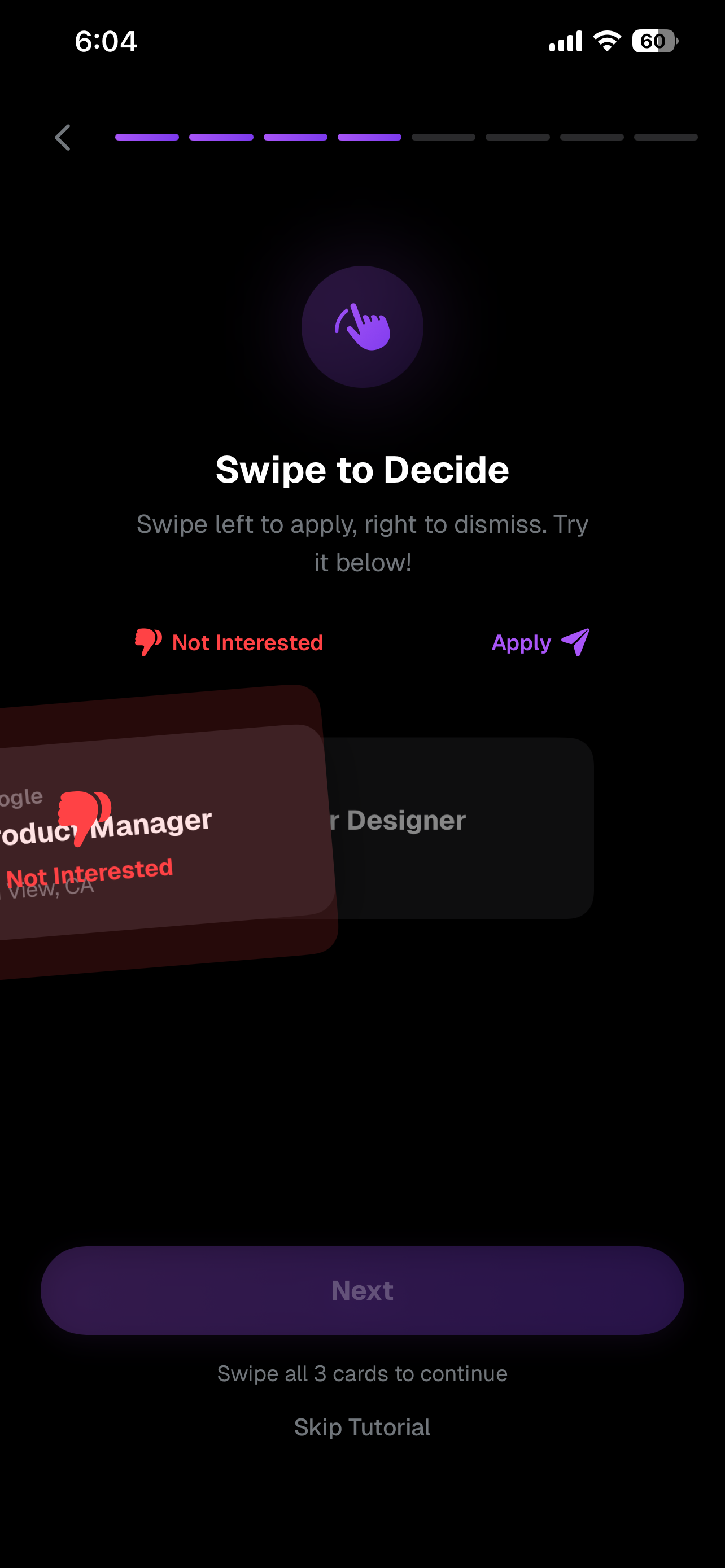
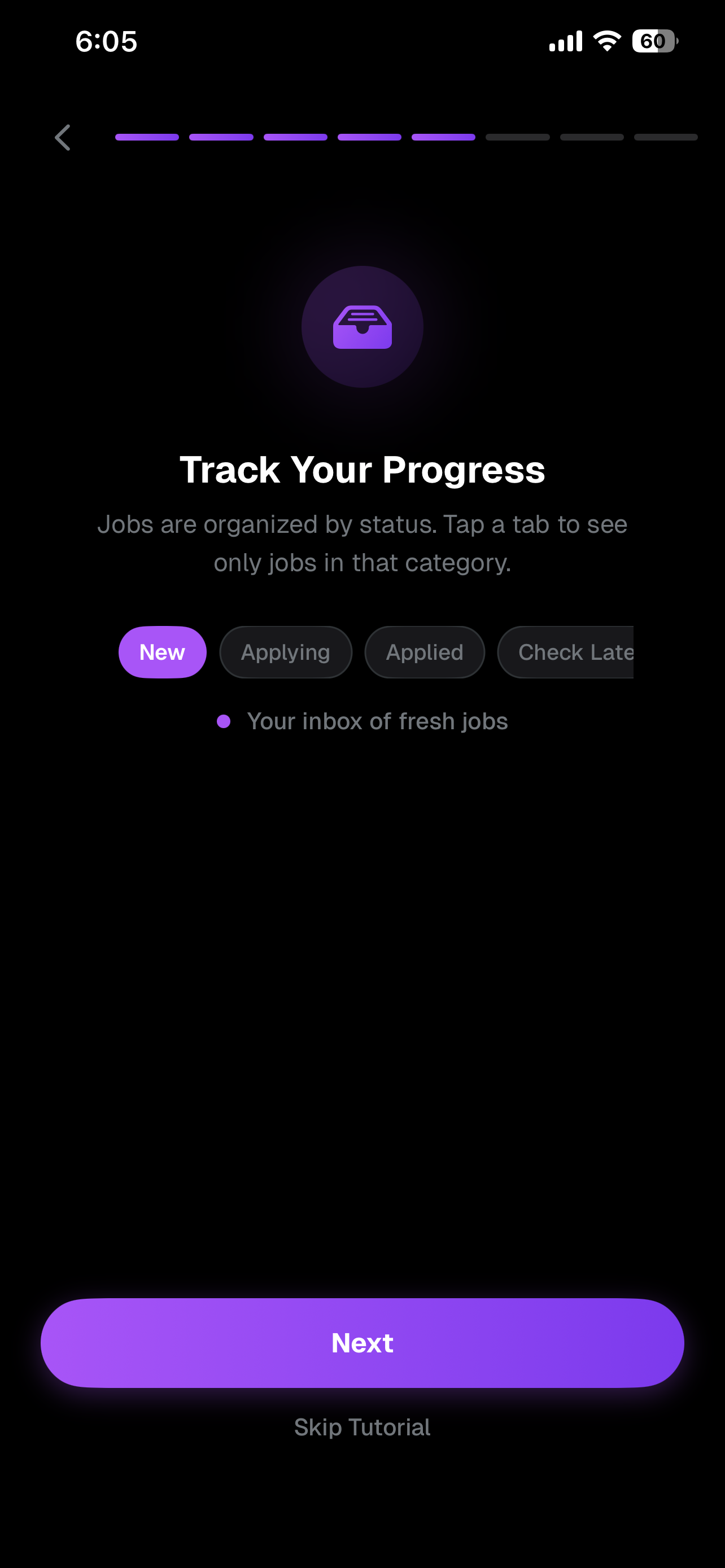
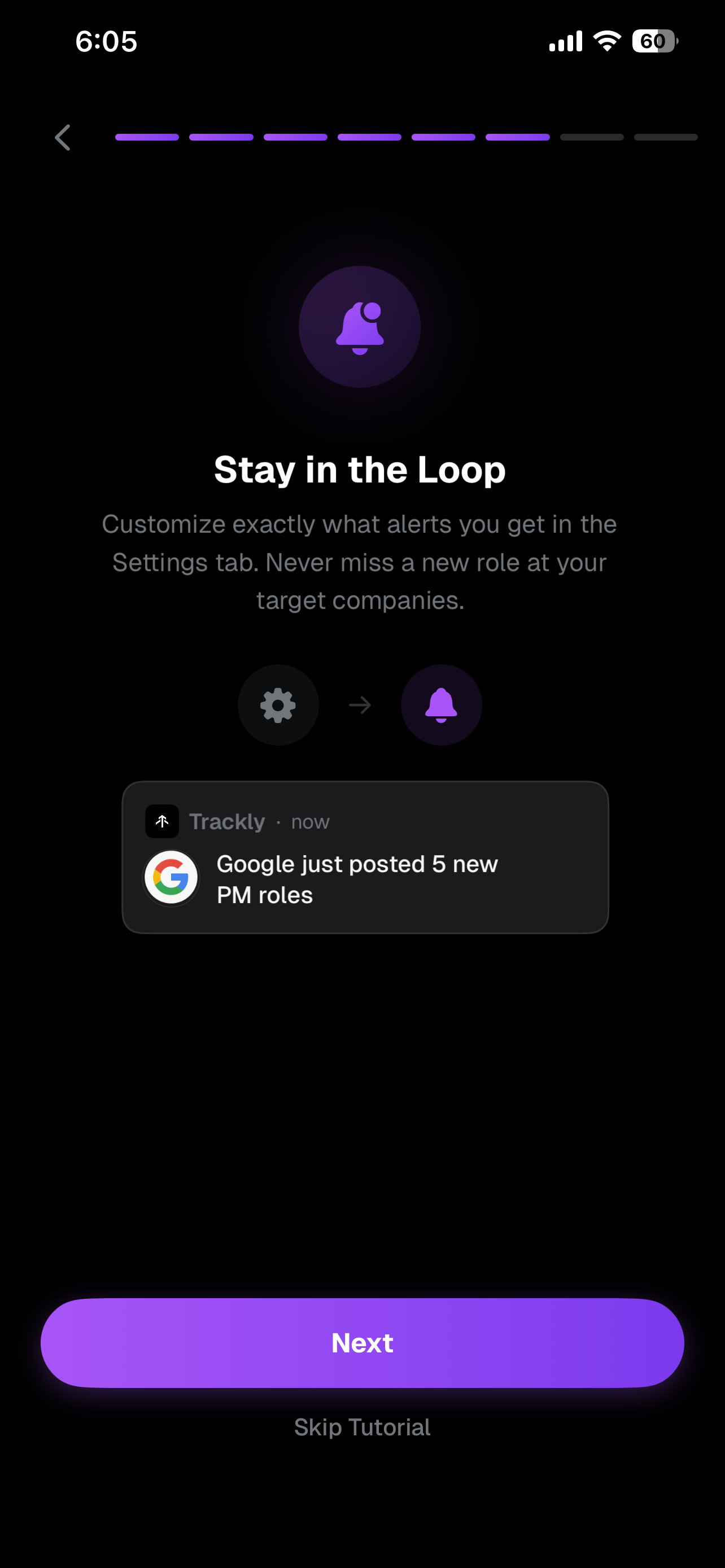
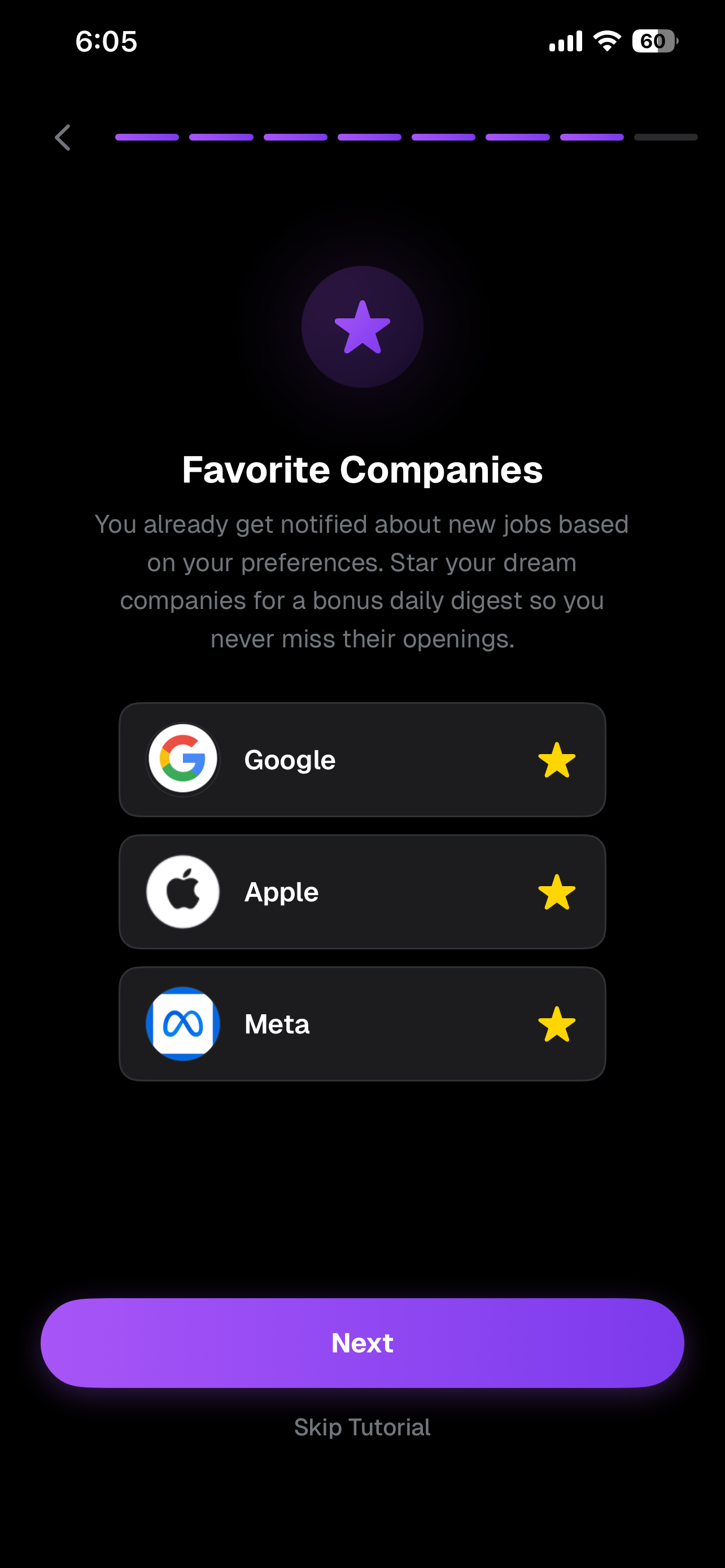
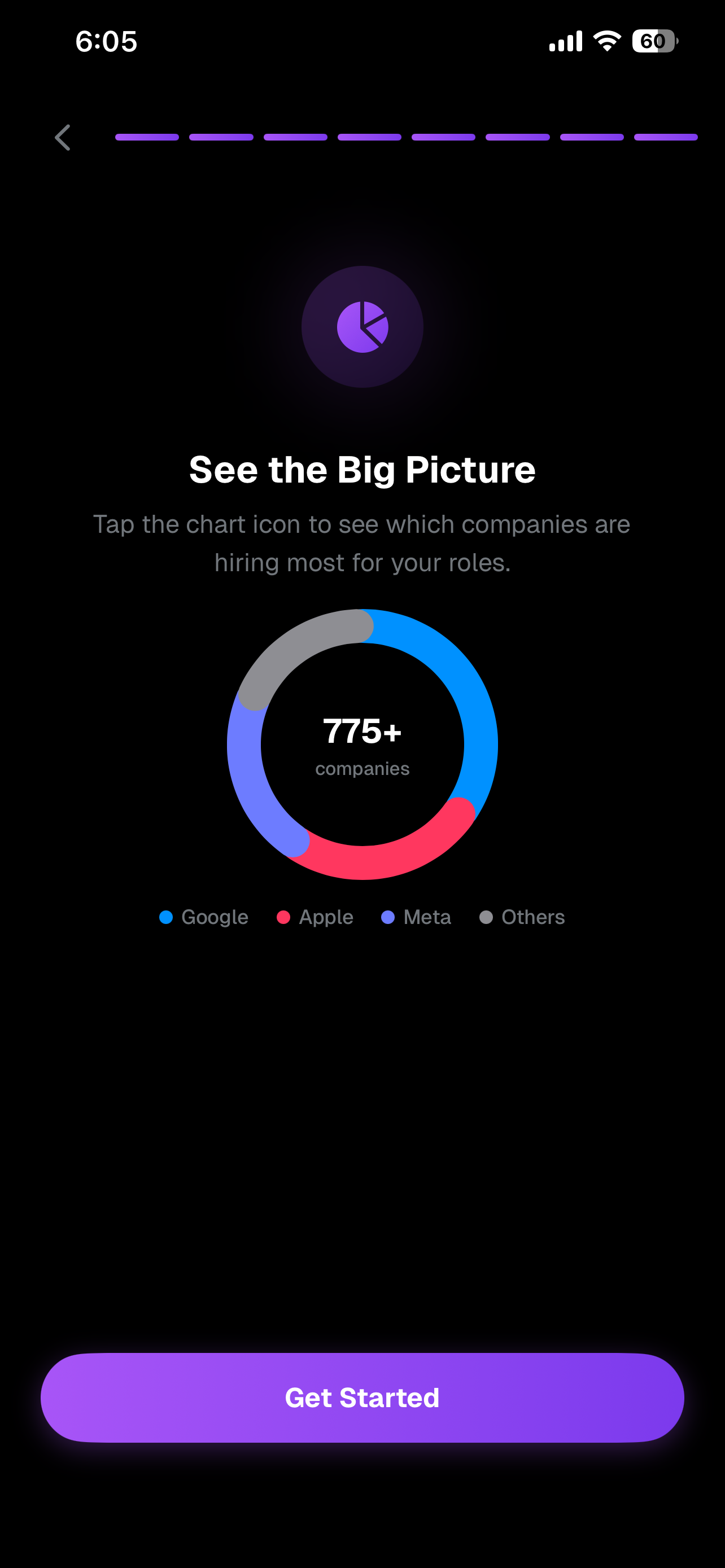
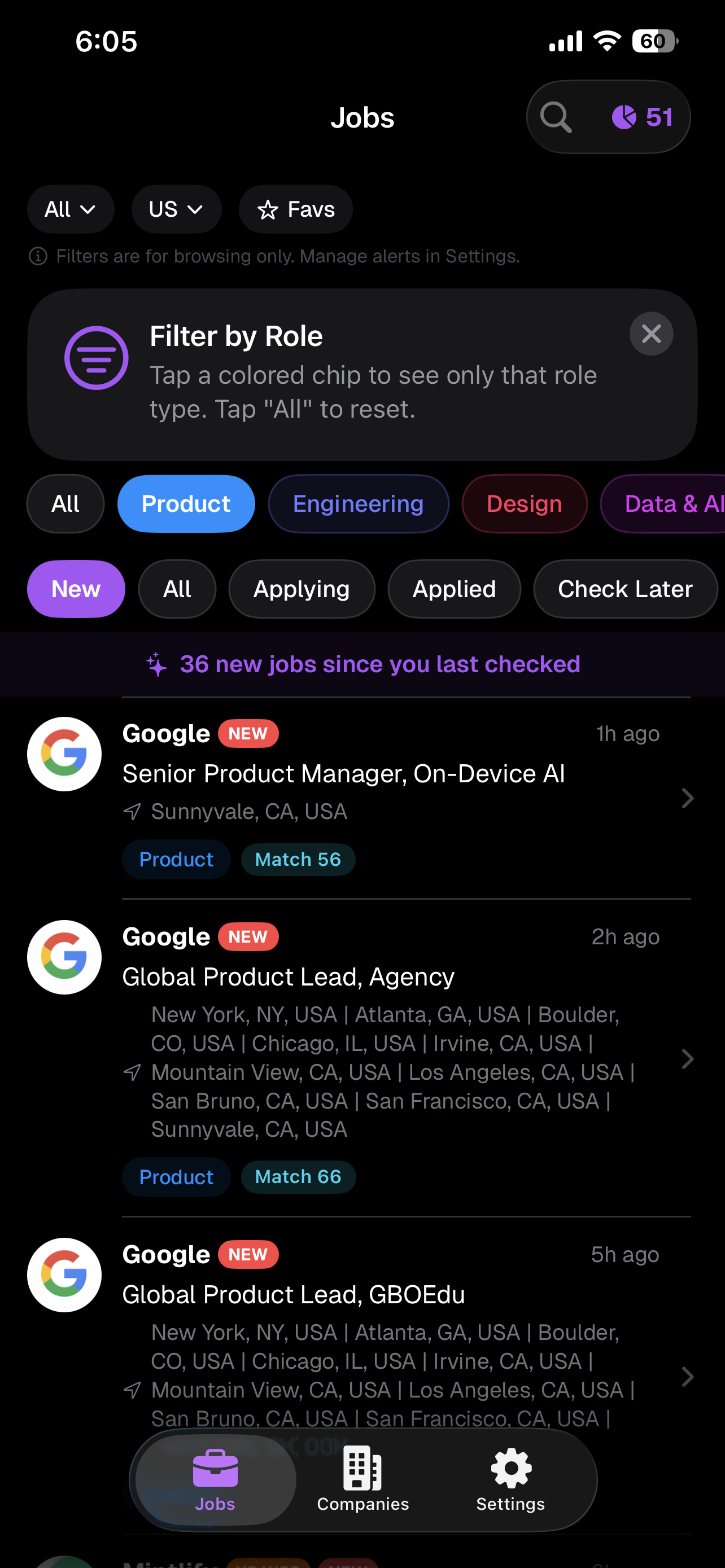
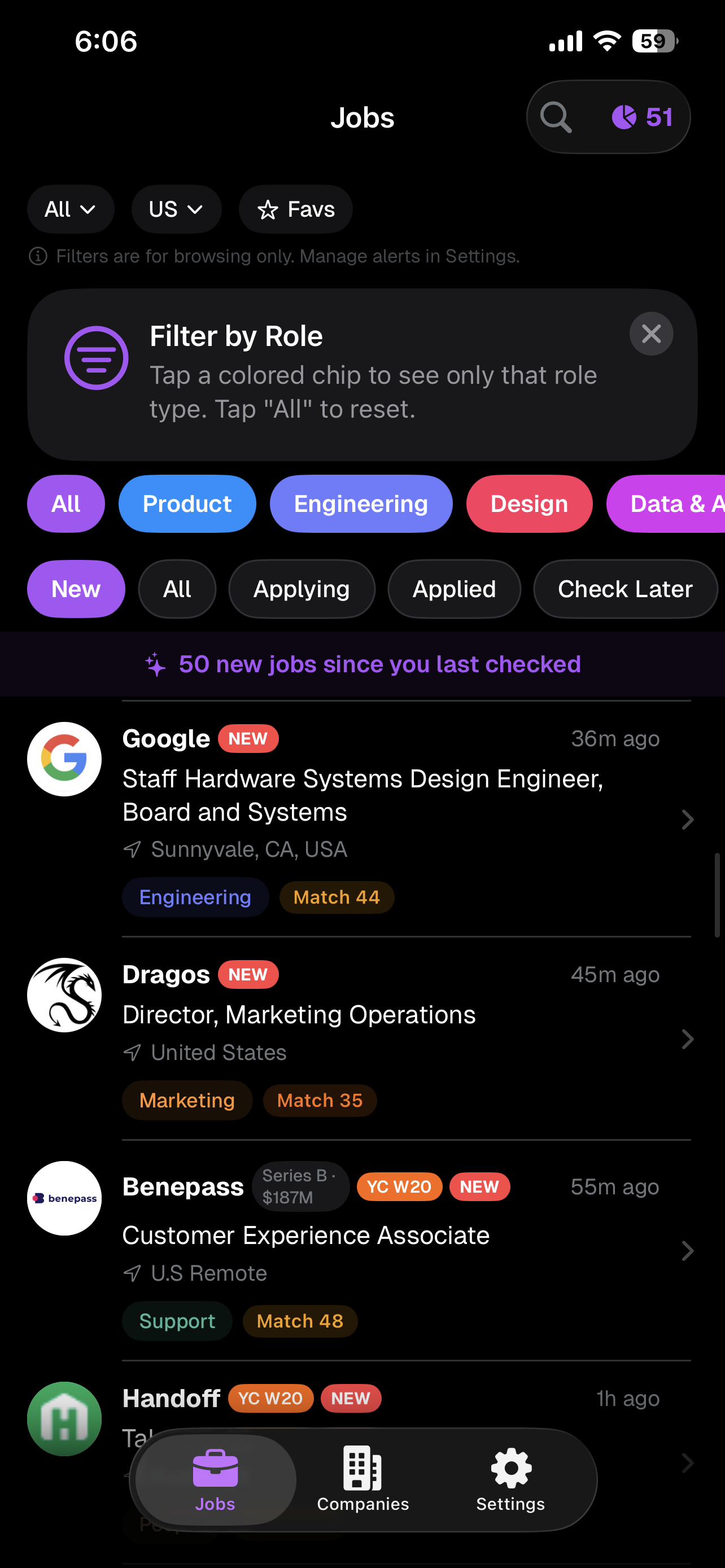
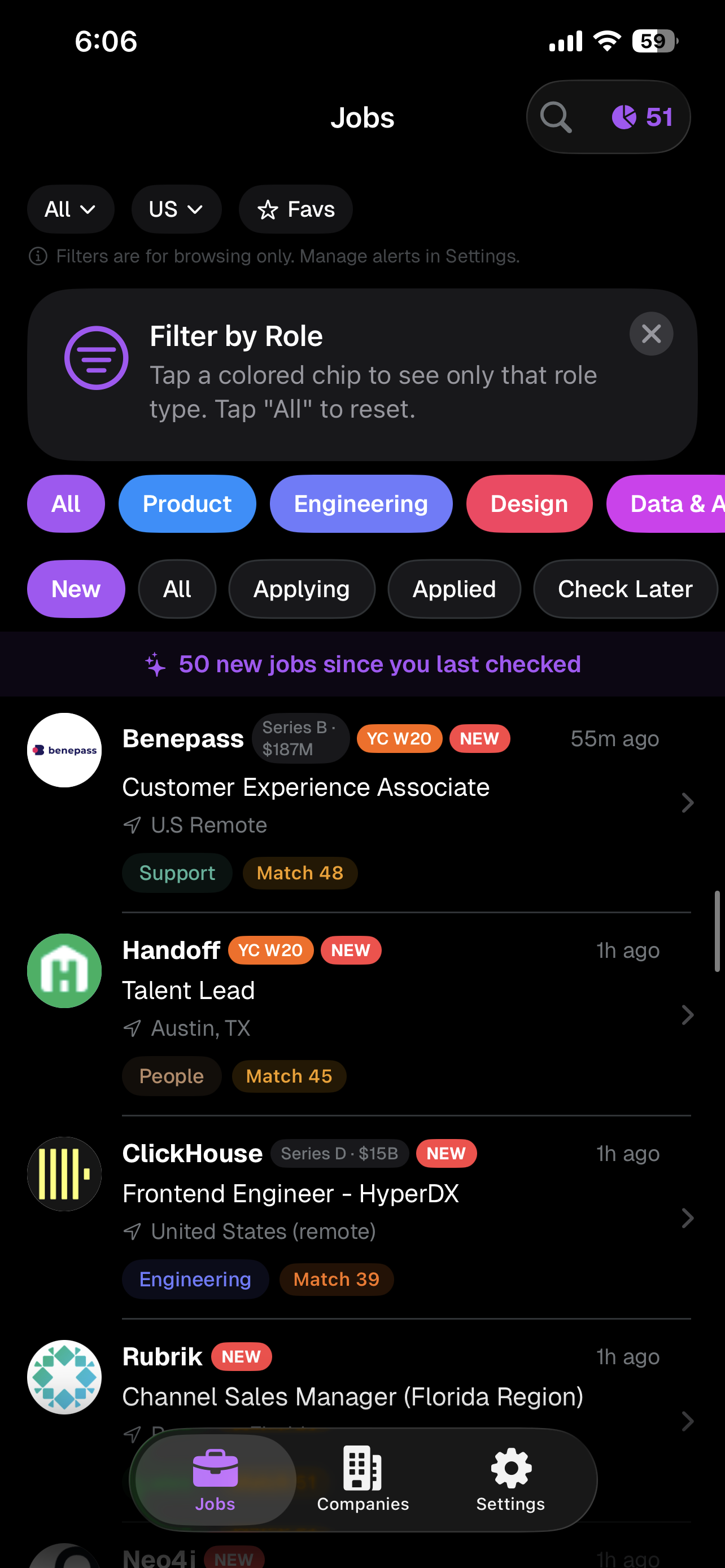
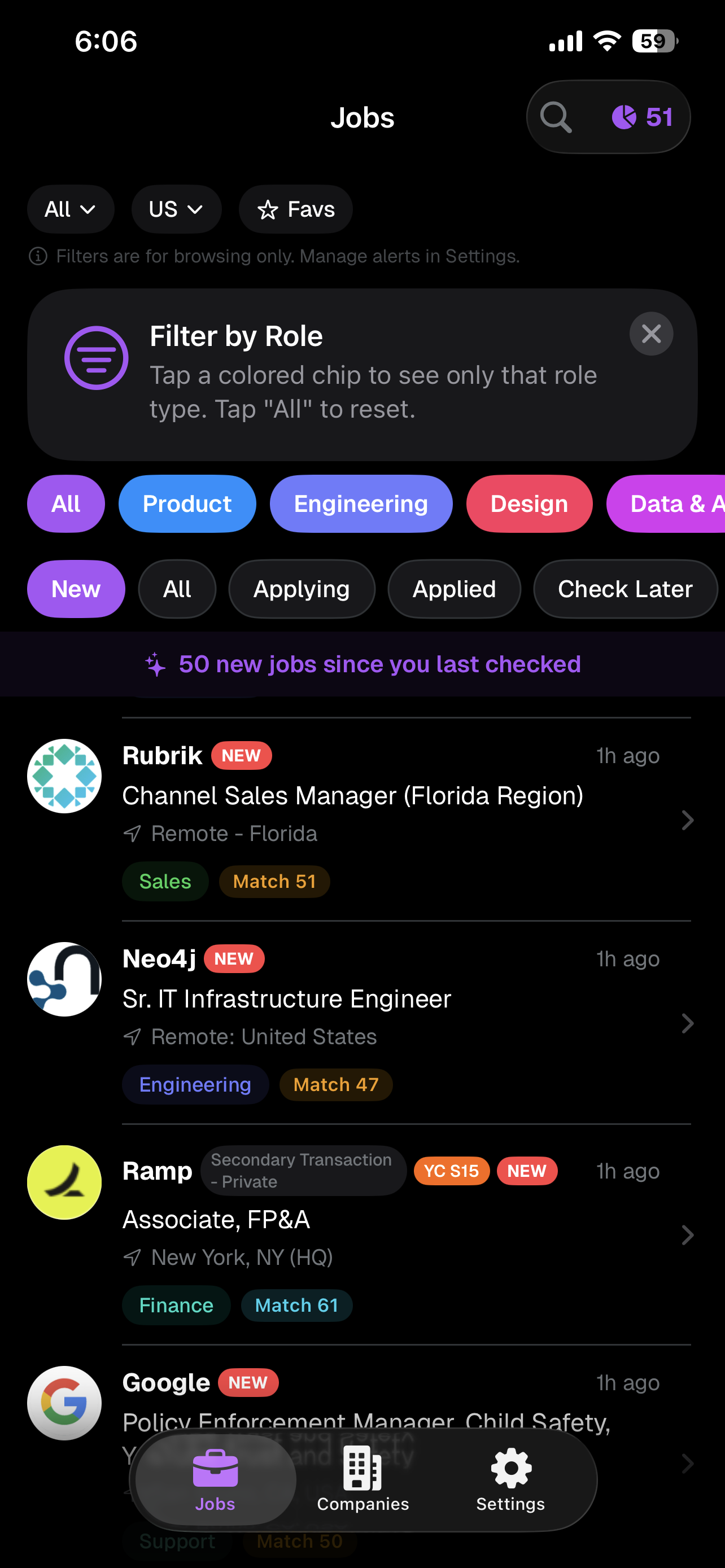
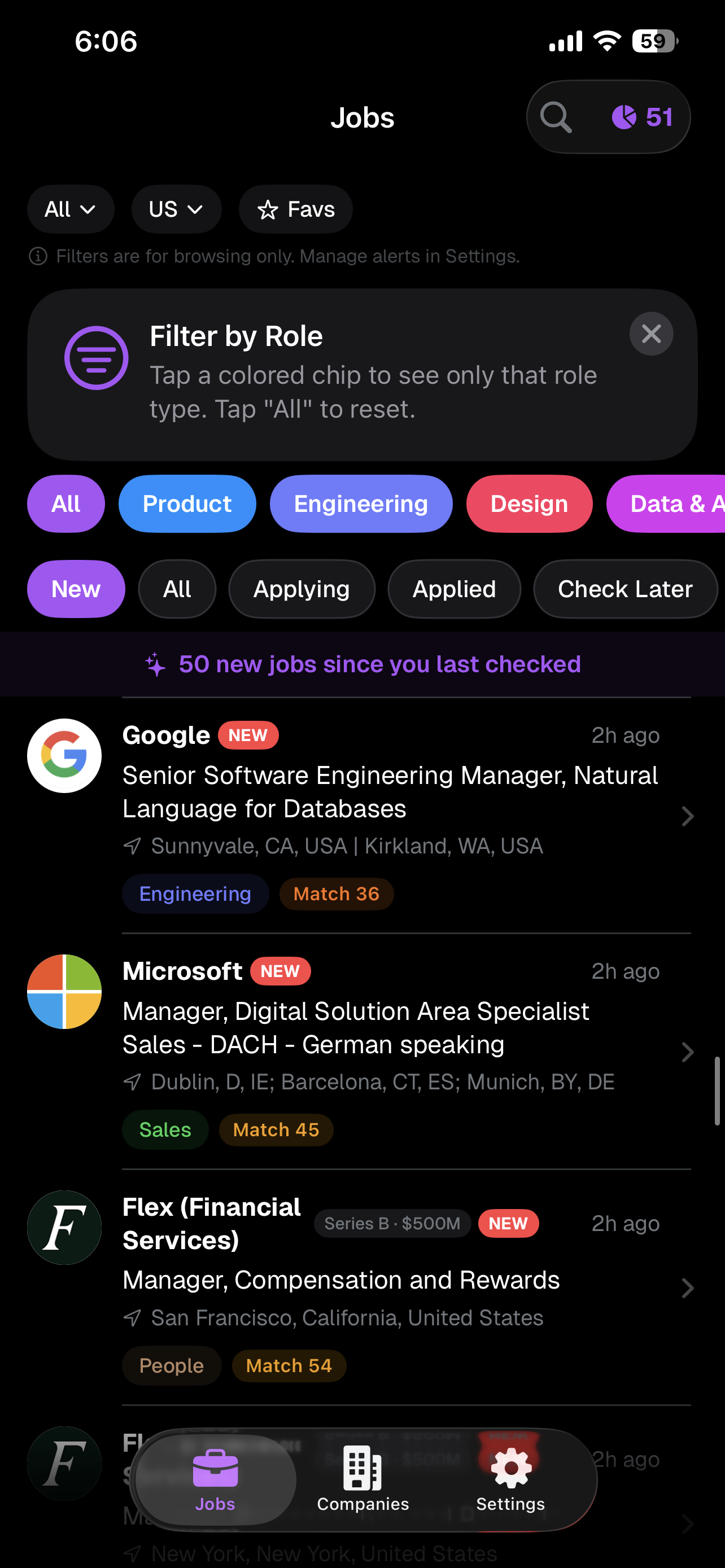
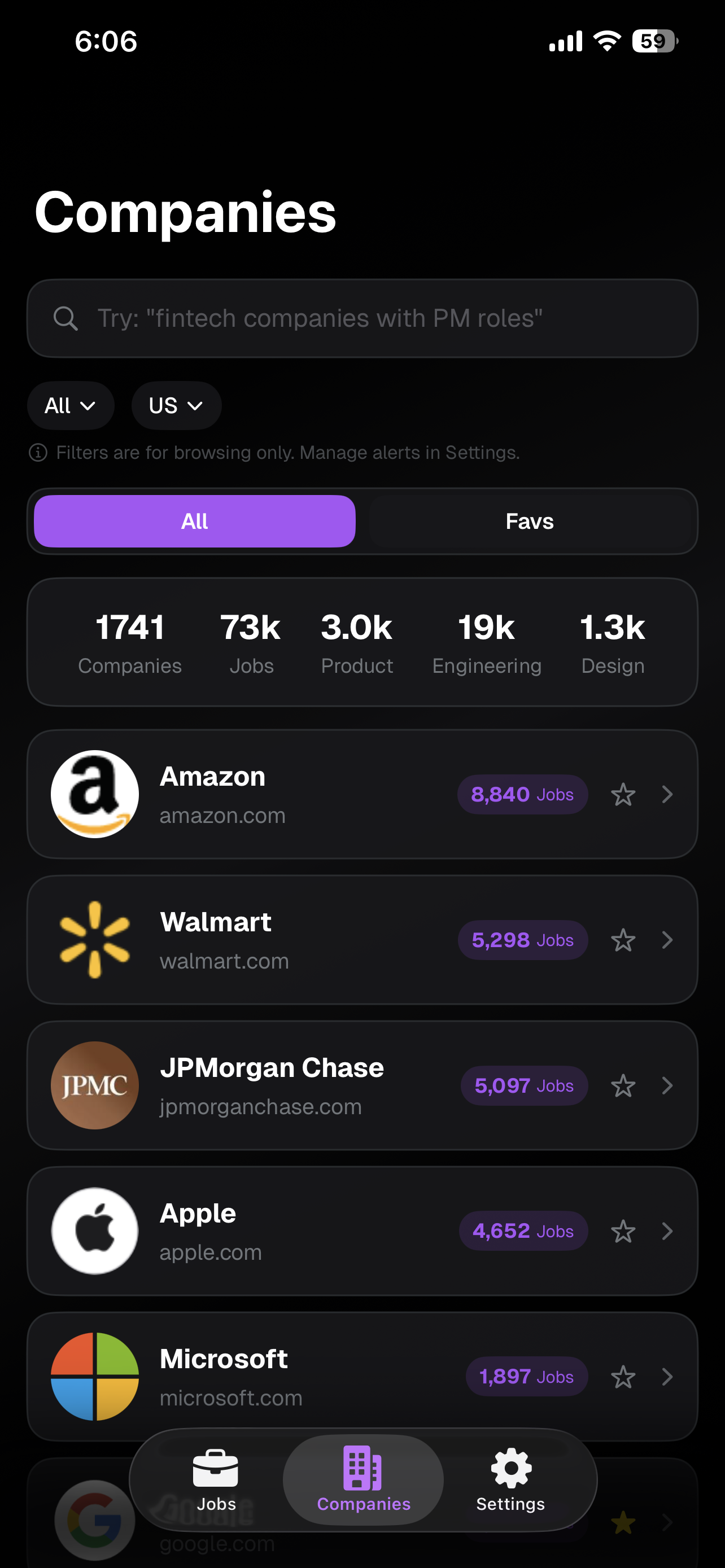
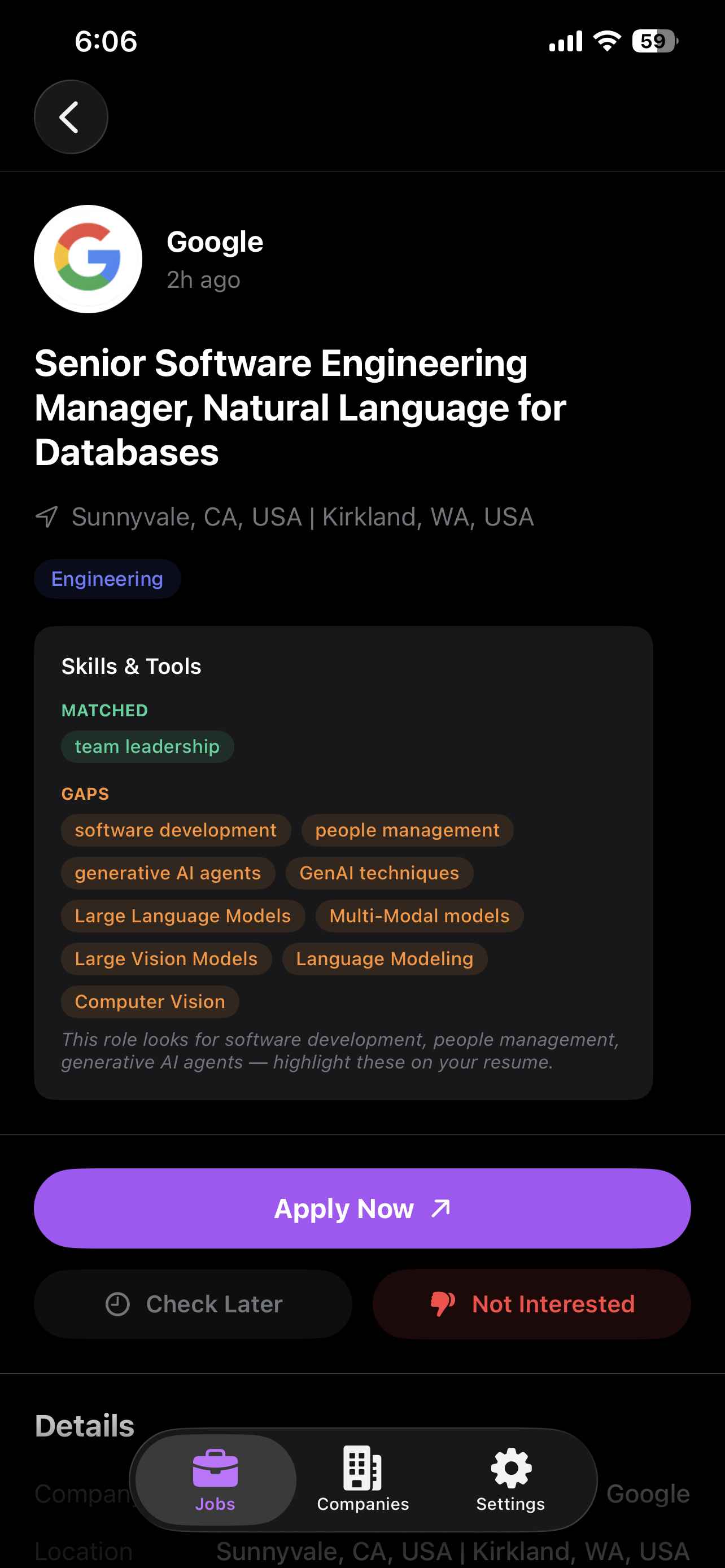
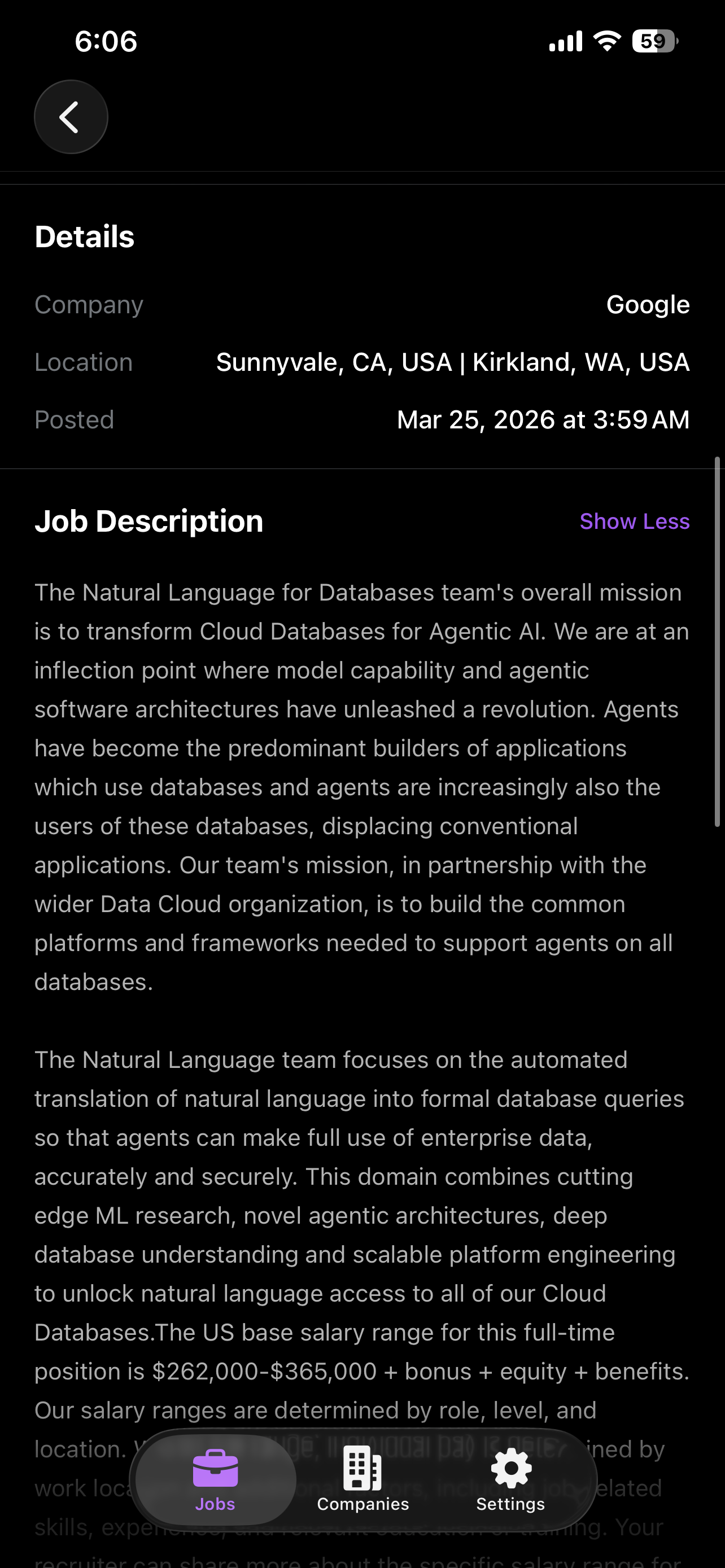
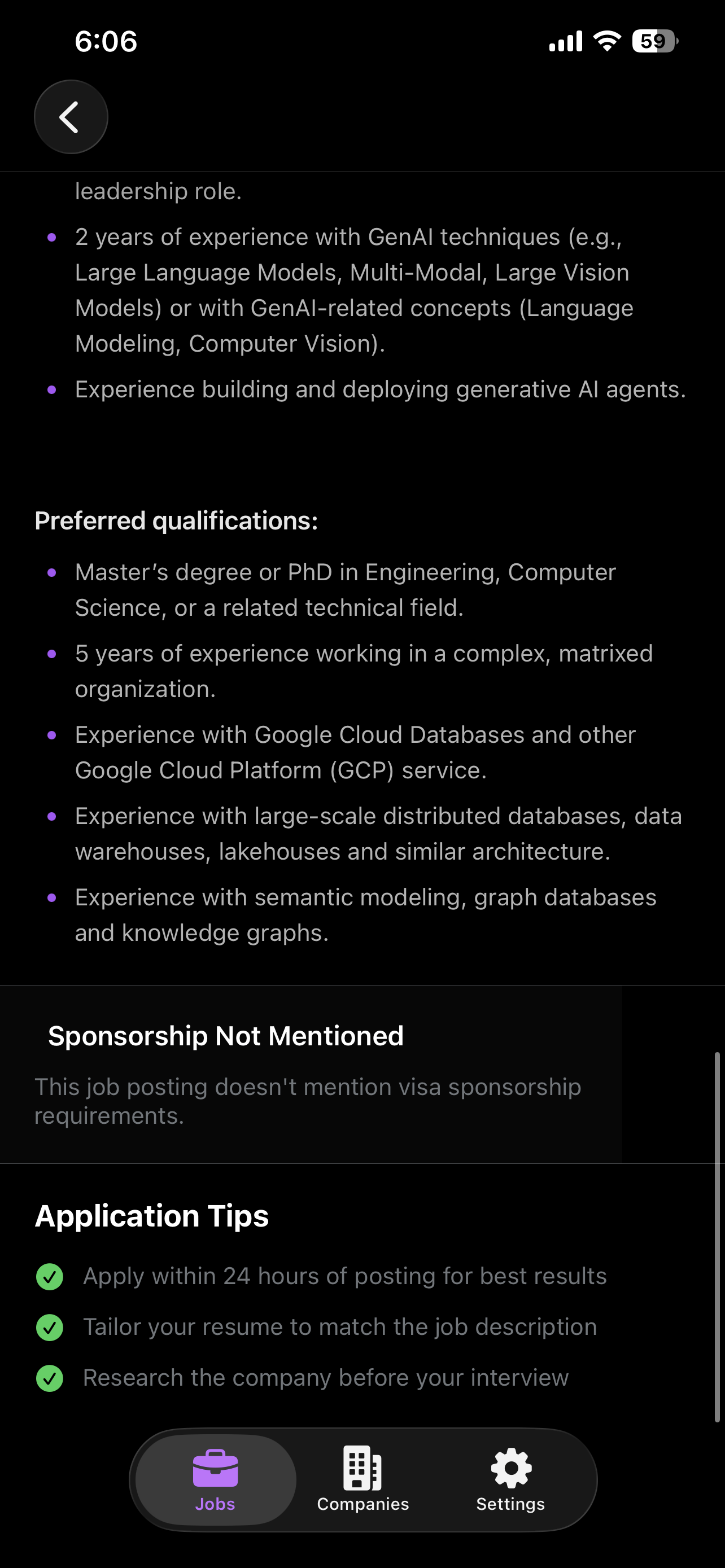
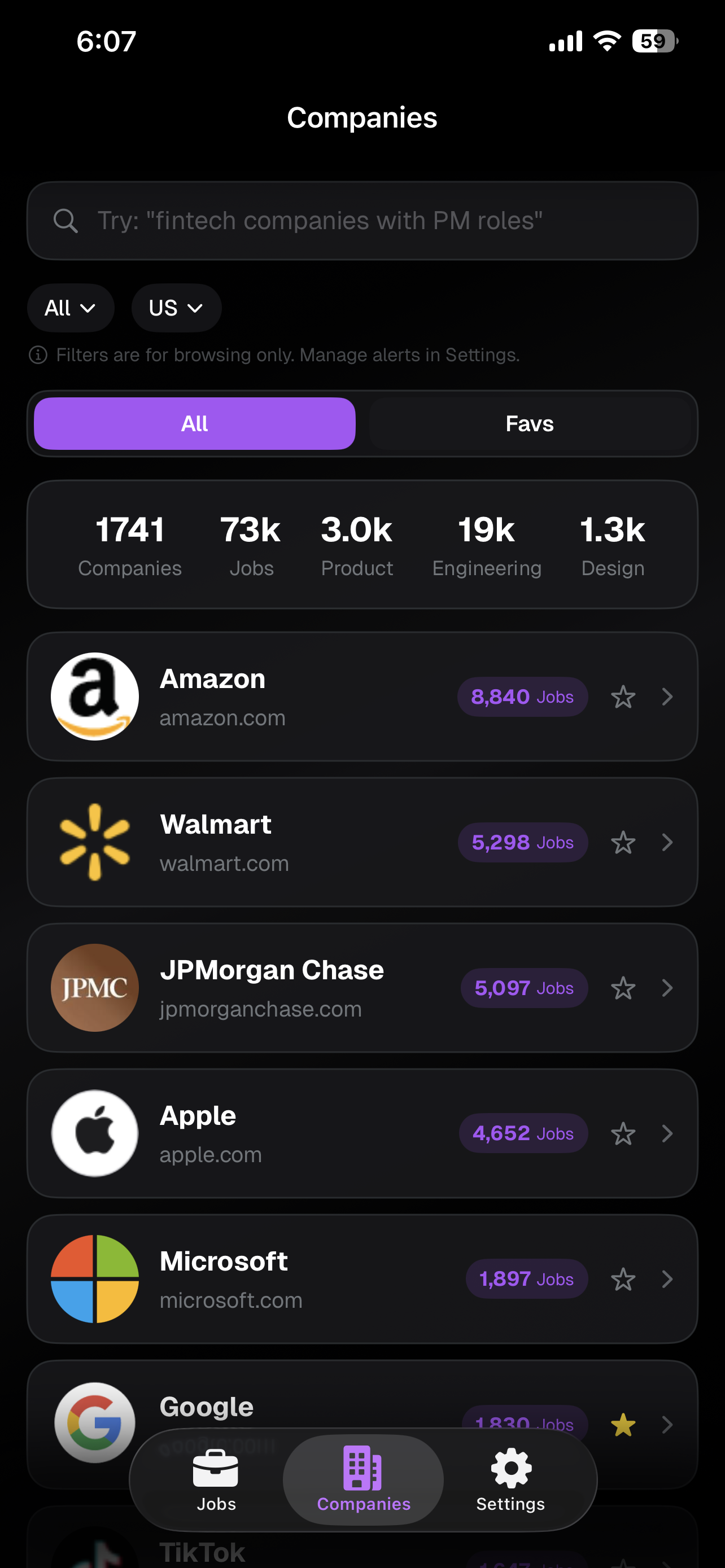
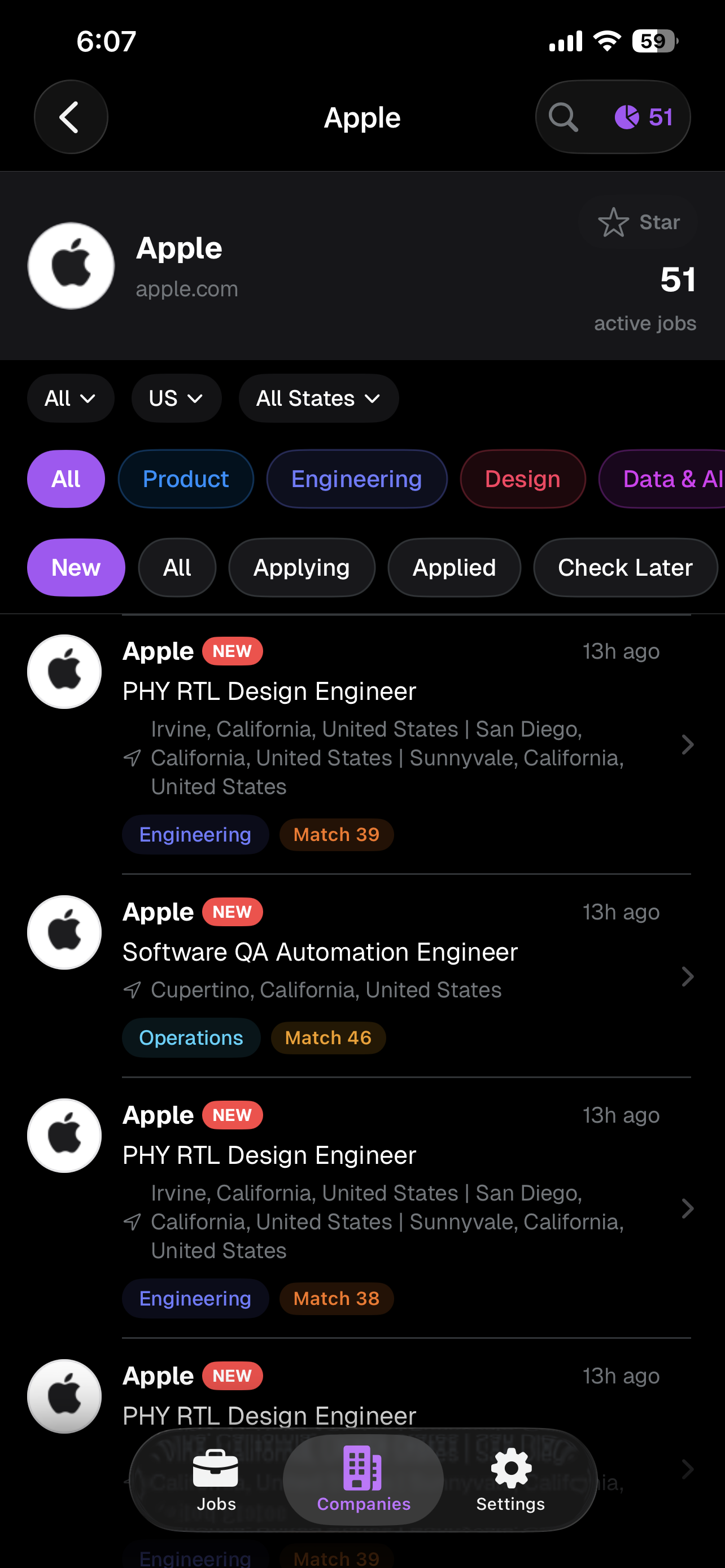
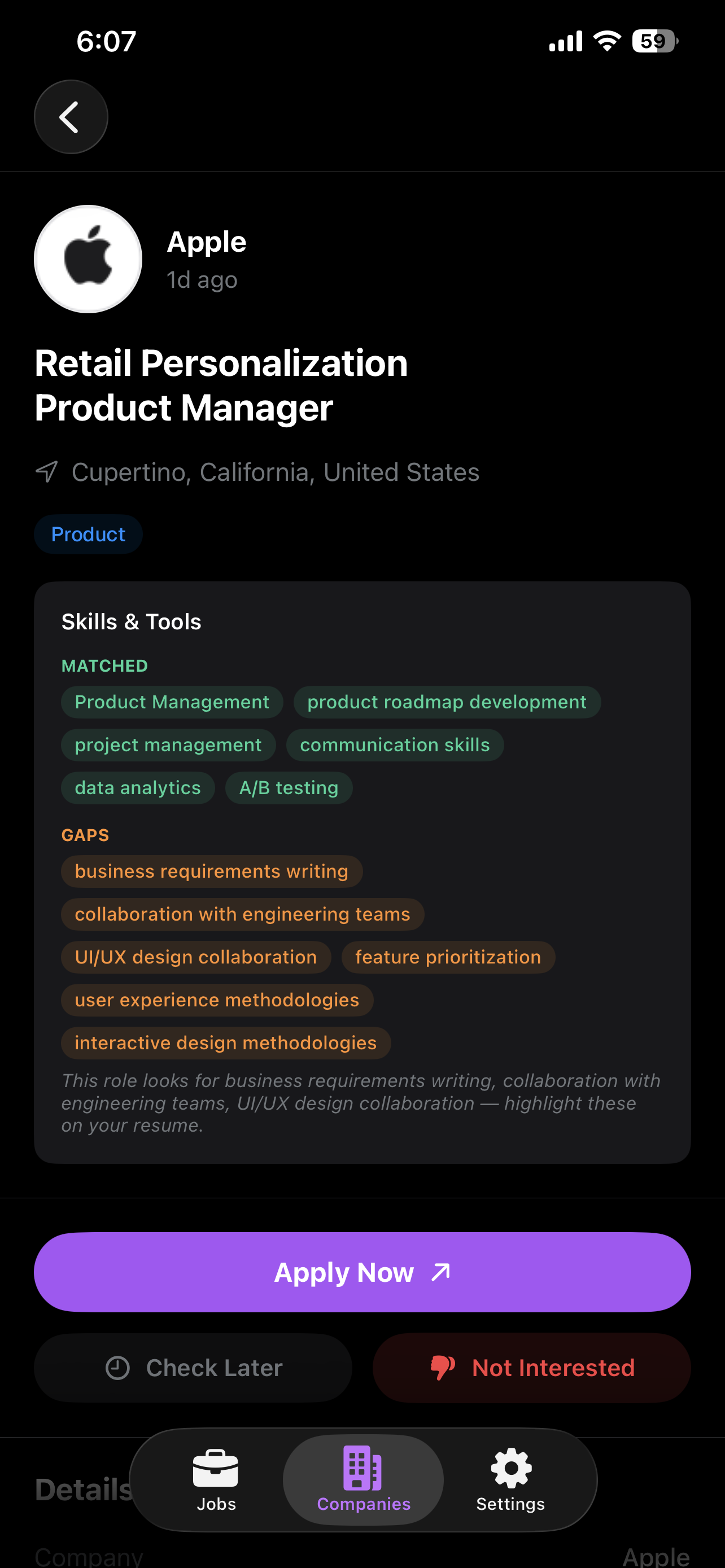
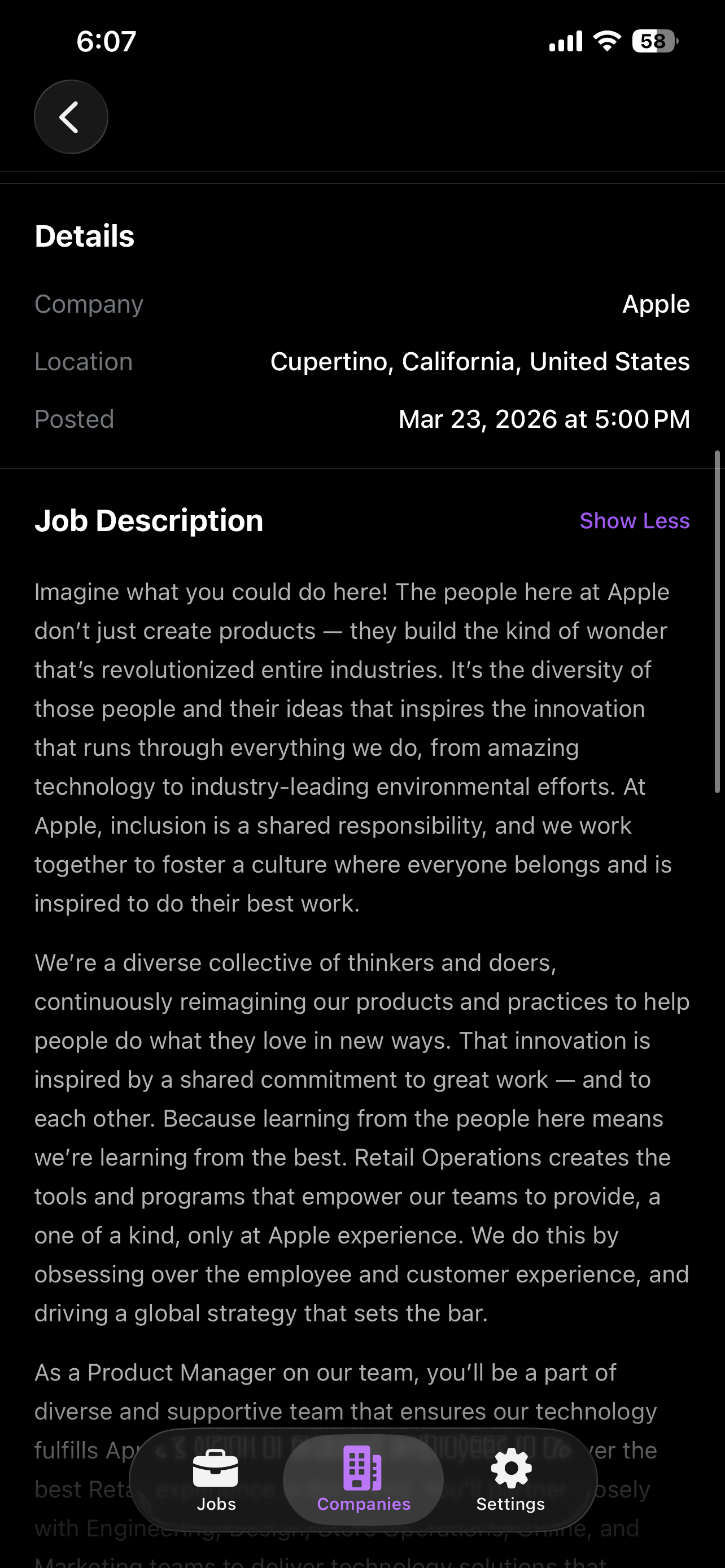
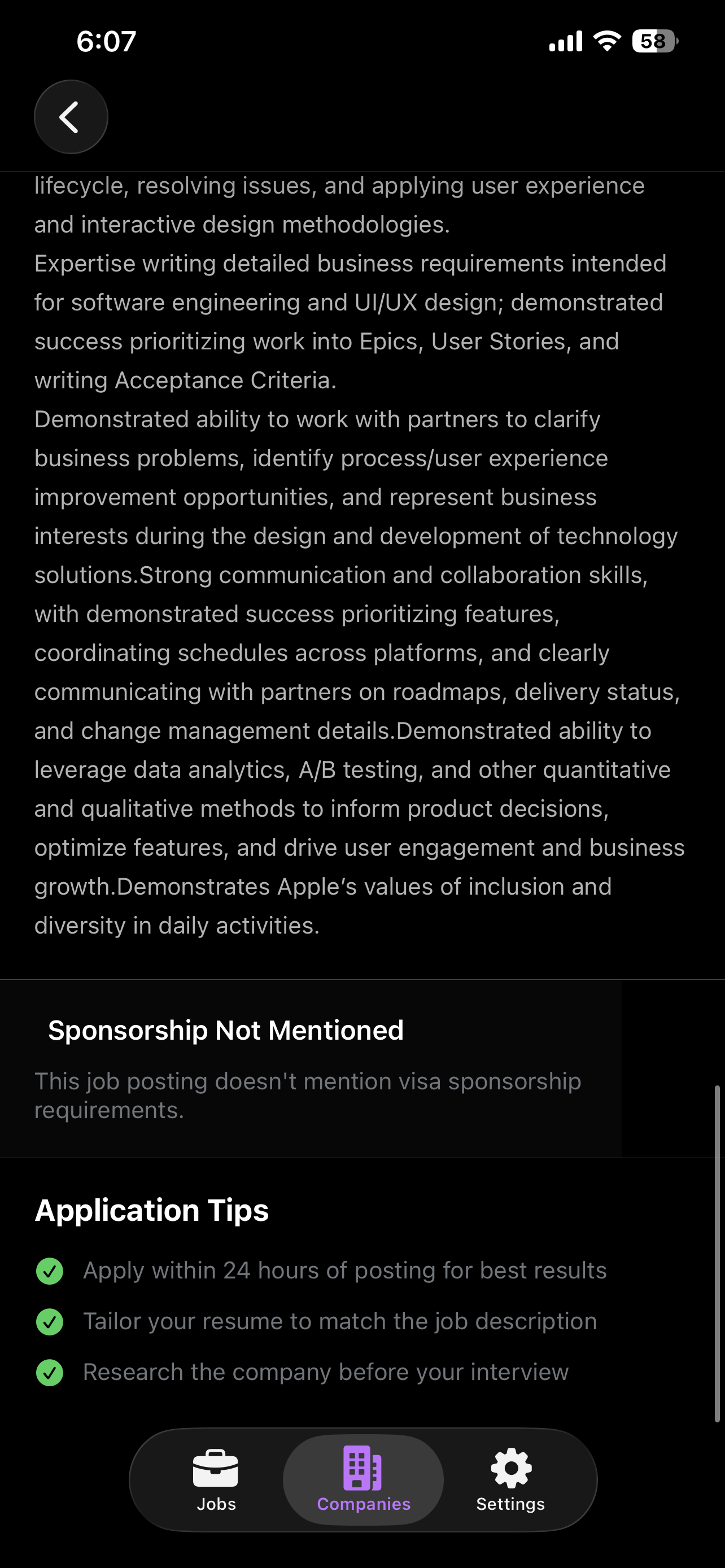
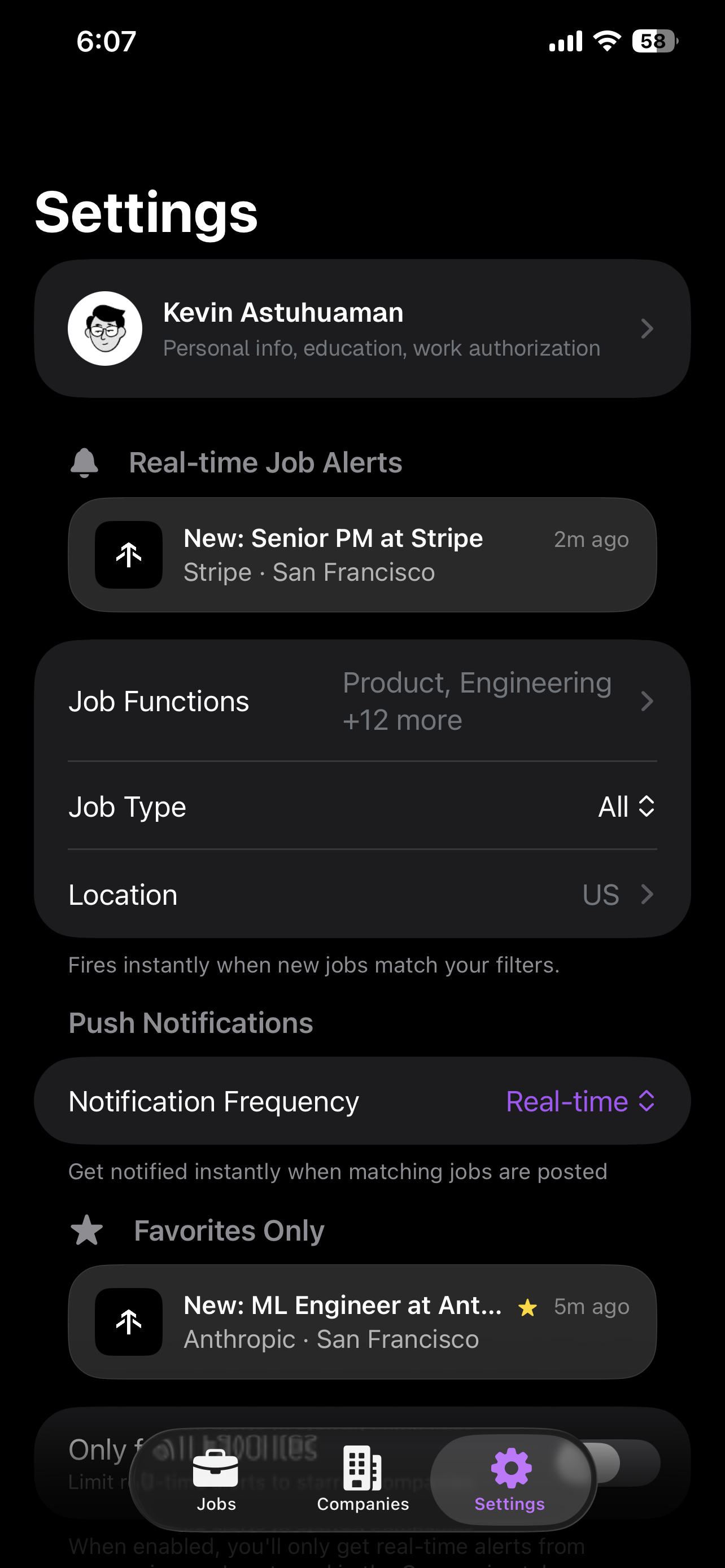
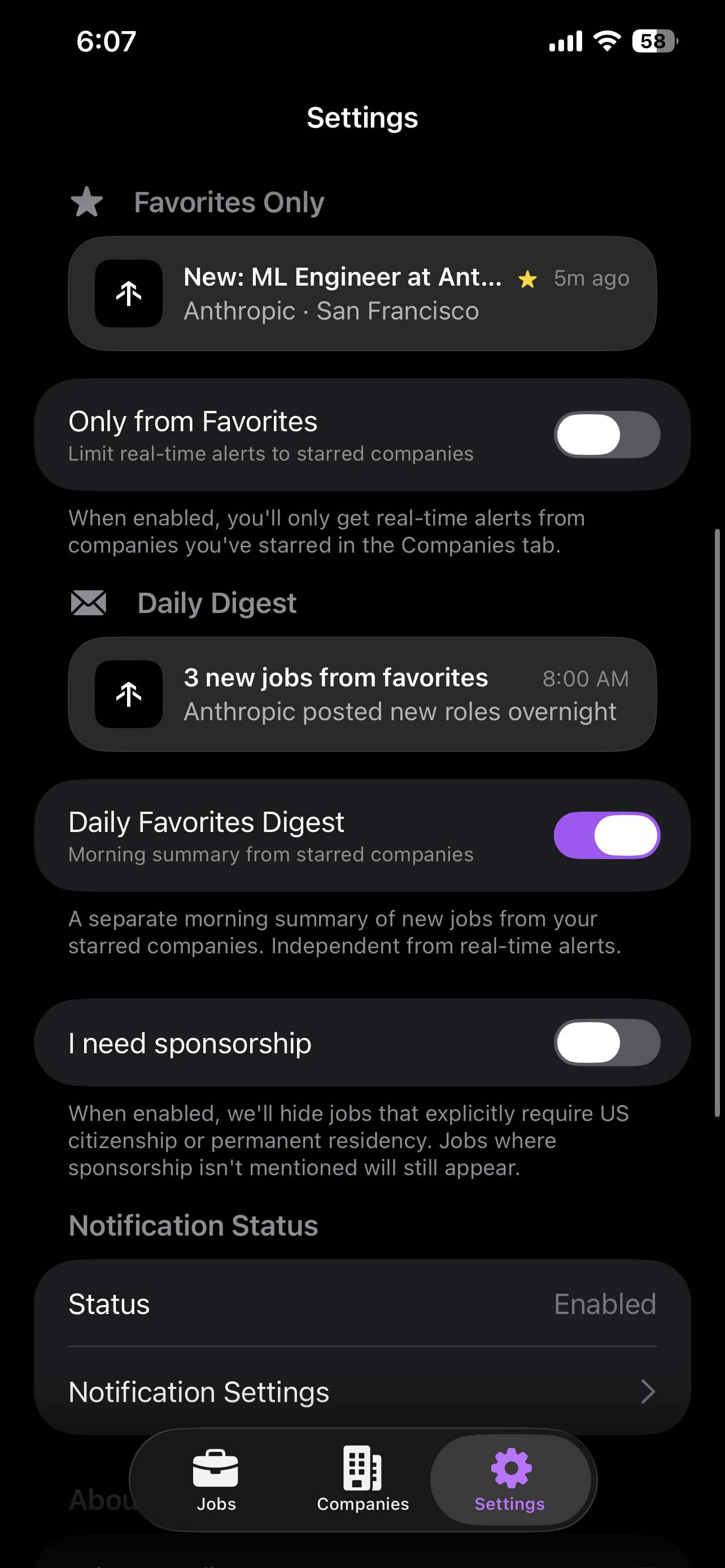
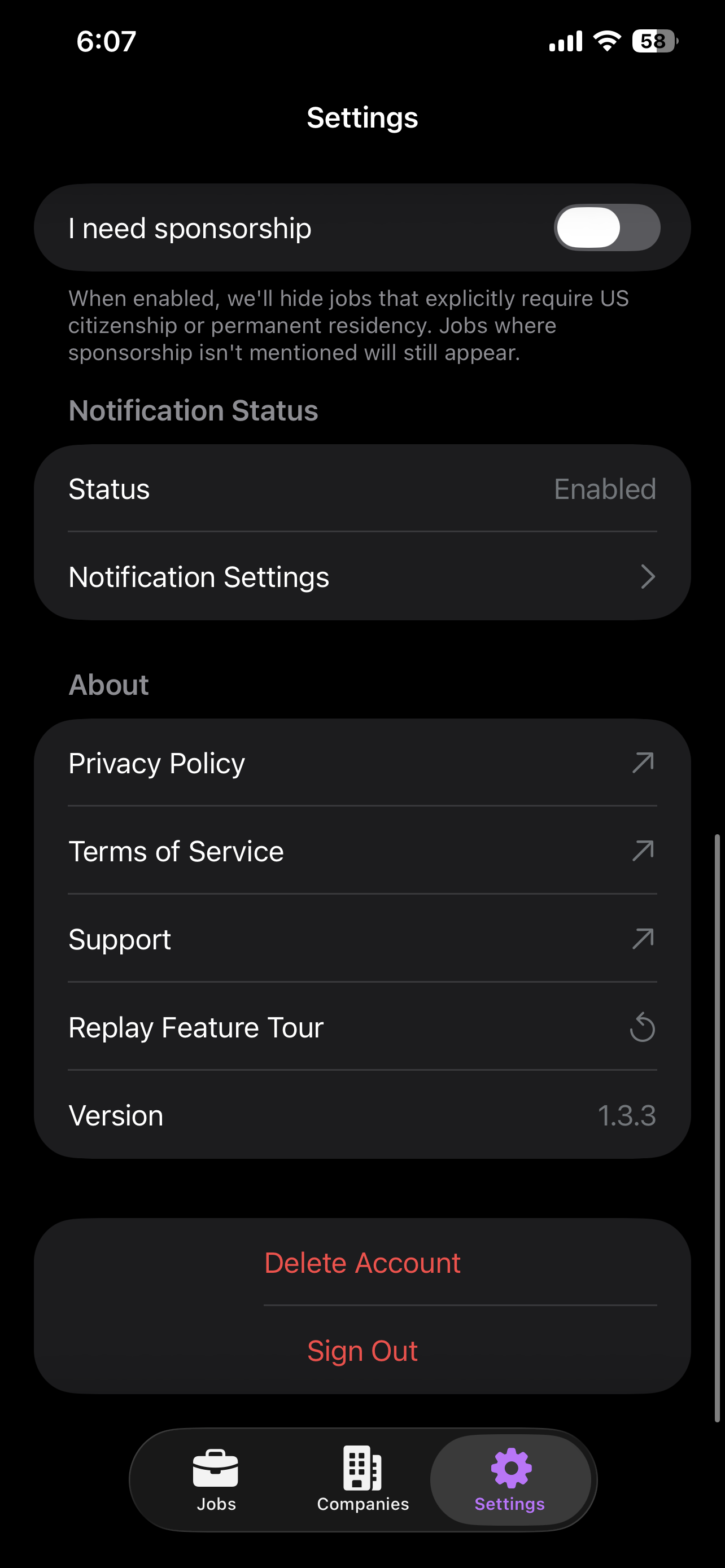
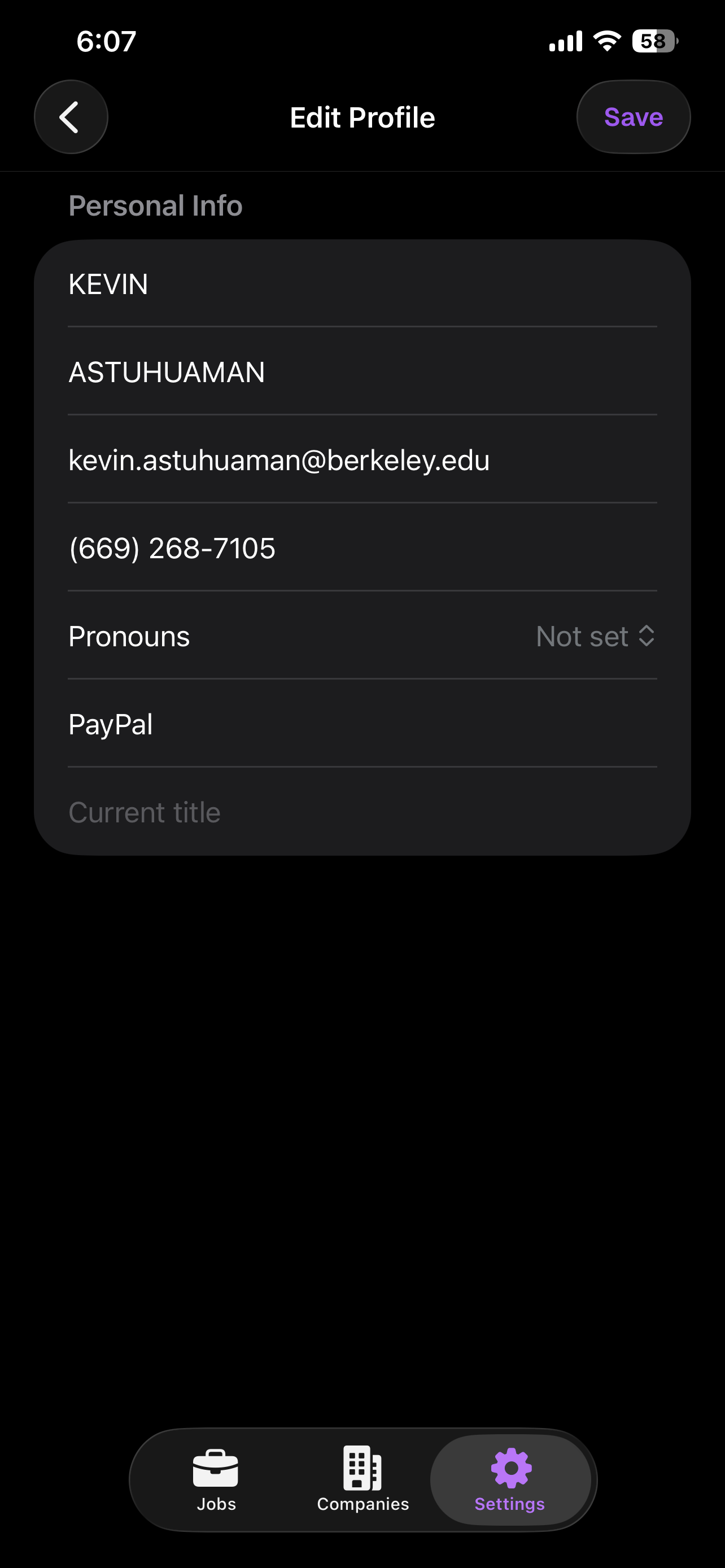
All screenshots are full-resolution retina (macOS: 3592x2186, iOS: 1284x2778). Click to open full size. Right-click to download.
Product Overview
Trackly is an AI recruiting agent built by UC Berkeley Haas MBA students. It monitors 2,000+ company career pages -- from LinkedIn to Indeed to Greenhouse, Lever, Workday, YC, Pitchbook, and more -- and notifies students the exact moment new jobs are posted.
"Apply first. Get Hired."
Motto: "Looking for a job shouldn't feel like a full-time job."
Key Selling Points
2,000+ companies monitored in real time
Polling every 15 minutes across 1,700+ company career sites.
100,000+ jobs tracked
From LinkedIn to Indeed to 2,000+ company career pages -- Greenhouse, Lever, Workday, Ashby, and more.
14 job function categories
Product, Engineering, Design, Data & AI, Marketing, Sales, Strategy, Operations, Finance, Partnerships, People, Legal, Support, and Other. Each with a distinct color chip.
AI resume match scoring
0-100 score with a breakdown across 7 dimensions: Skills, Experience, Seniority, Education, Industry, Location, and Nice-to-Have. Includes gap analysis showing what is missing.
Hiring manager signals
Real LinkedIn posts from hiring managers surfaced alongside relevant job postings. Not a generic badge -- the actual post, the actual person, the actual signal.
Hyper-customizable notifications
Filter by job function, location, sponsorship, job type, and more. Get notified the instant a matching job drops.
Swipe-based job discovery
Swipe right to apply, swipe left to dismiss. Tap for detail view. Fast, intuitive, Tinder-style interaction on iOS.
iPhone + Mac + Web
Available everywhere. Jobs saved on iPhone sync instantly to Mac. Keyboard shortcuts (J/K) on desktop. Web at usetrackly.app.
Built by Haasies, for Haasies
Made by UC Berkeley Haas MBA students who know the recruiting pain firsthand. Optimized for students, not for recruiting agencies.
You have FULL creative freedom. Use the live product as a starting point, but you are encouraged to embellish, improve, and reimagine the UI to make the video as compelling as possible. Add animations, refine layouts, punch up the visual design -- whatever makes the product look incredible.
Kevin (the founder) will update the actual product UI to match your vision after the video ships. The video leads, the product follows.
Be bold. Be irreverent. This is not a corporate explainer -- it is a statement.
Target Audience
MBA students at UC Berkeley Haas, in the middle of recruiting season. Expanding to students at other top MBA programs (Stanford GSB, Wharton, Booth, Kellogg, etc.).
Persona
A student scrolling LinkedIn on their phone, overwhelmed by job boards, wondering if they missed the best postings. They want speed, precision, and confidence that they are seeing jobs first.
Video Specifications
Technical requirements for the final deliverable.
| Duration | 60 seconds |
| Primary format | 16:9 horizontal, 4K (3840 x 2160) |
| Secondary format | 1:1 (1080 x 1080) variant for social clips |
| Voiceover | None -- video must work fully on mute |
| On-screen text | Embedded motion text (part of the visual design) -- NOT subtitle captions |
| Captions | Separate SRT/VTT file for accessibility |
| Music | Licensed background music (proof of license required) |
| Music tone | Upbeat lo-fi electronic, builds subtly throughout. No vocals. |
| Sound effects | MANDATORY -- notification dings, swipe whooshes, toggle clicks, counter ticks, impact hits |
| Style | Clean motion design, bold typography, UI mockup animations |
| Revision rounds | 2 rounds included |
The Script
Full scene-by-scene breakdown -- 11 scenes, 60 seconds total. The narrative arc flows from a hook through pain, product showcase, proof of scale, and ends with a clear call to action.
| # | Scene | Time | Duration | Key Visual |
|---|---|---|---|---|
| 01 | Cold Open | 0:00-0:04 | 4s | iPhone notification from Stripe |
| 02 | The Pain | 0:04-0:08 | 4s | Bold text typing on dark bg |
| 03 | The Feed | 0:08-0:18 | 10s | iOS feed with job cards |
| 04 | Data Sources | 0:18-0:23 | 5s | Source logos converging |
| 05 | Smart Filters | 0:23-0:28 | 5s | Filter UI + 14 job chips |
| 06 | Match Score + HM | 0:28-0:34 | 6s | AI score ring + LinkedIn post |
| 07 | Swipe to Act | 0:34-0:38 | 4s | Three rapid swipes |
| 08 | The Scale | 0:38-0:43 | 5s | Animated counters |
| 09 | Cross-Platform | 0:43-0:48 | 5s | iPhone + MacBook synced |
| 10 | Identity | 0:48-0:55 | 7s | Haas branding + anti-competitor |
| 11 | CTA | 0:55-1:00 | 5s | App icon, tagline, download |
Hook the viewer instantly by showing the product already delivering value -- a real job alert from a dream company, before the viewer even knows what app they are looking at.
iPhone lock screen, clean. A push notification slides down from the top:
Show the company logo (Stripe) in the notification icon position -- NOT the Trackly icon. Trackly branding can be subtle ("via Trackly" text).
- Standard iOS notification slide-down animation
- Clean lock screen, no clutter
- Notification should feel real and native
- Music begins here -- subtle, building
- iOS notification ding as push slides in
Make every MBA student feel seen -- recruiting is exhausting, overwhelming, and consuming their life. This scene validates the pain so the product reveal feels like relief.
Dark background. Bold white text, typed character by character:
Beat. Then:
- Text appears via typewriter effect (character by character)
- Brief pause (beat) between the two lines
- Second line can use a different treatment (larger, color emphasis) -- this is the punch line
- Music continues building underneath
- Soft keystroke/typewriter clicks on character-by-character text reveal
The hero scene. Show the product in its full glory -- a beautiful, alive, real-time feed of jobs from top companies across every function. This is the moment the viewer thinks "I want this."
Trackly iOS app UI, full screen. Job cards scrolling in with staggered animations. Real company names visible: Stripe, Coinbase, Airbnb, OpenAI, Anthropic, Figma, Notion, Ramp.
Each card shows: company logo + name, job title, location, green "Just posted" / "12 min ago" badge, and job function color chips.
Chips visible in this order: Product, Strategy, Marketing, Operations, Data & AI, Engineering, Design
- Cards enter with staggered slide-in animations (top to bottom or fade-in)
- Feed should feel alive and continuously updating
- 10 seconds -- take time to show the richness of the feed
- Job function chips should pop with color against dark card backgrounds
- Music picks up energy -- this is the product reveal
- Subtle card appearance sounds (soft pops) as each job card slides in
Establish credibility and scope -- Trackly goes directly to the source, scraping from LinkedIn to Indeed to 2,000+ company career pages before anyone else.
Source logos/icons flowing into a funnel or converging into the Trackly feed: LinkedIn, Indeed, Greenhouse, Lever, Workday, Ashby, Y Combinator, Pitchbook, "1,700+ company career sites".
X mark or strikethrough over LinkedIn and Indeed logos with text: "We get it before they do."
- Logos animate inward toward a central point (funnel/convergence)
- X marks or strikethroughs over LinkedIn and Indeed appear with satisfying motion
- "We get it before they do" text appears after strikethroughs
- Fast-paced, confident energy
- Confident beat drop or rhythmic hit as logos converge
- Data whoosh sounds as each source logo converges toward center
Show personalization depth -- Trackly lets you dial in exactly what you want so you never see irrelevant noise. Every notification is something you actually care about.
Filter interface with animated toggles. All 14 job function chips appear in a grid. Additional filters: Location ("San Francisco Bay Area"), Sponsorship ("Sponsors H-1B" toggle ON), Type ("Full-time + Internship" both selected). Cards filter in real time as toggles activate.
- Job function chips pop in one by one (rapid stagger) or appear in a grid reveal
- Toggles animate ON with satisfying switch motion
- Job cards in background filter/shuffle in real time as settings change
- Show cause-and-effect: toggle changes --> feed updates
- Toggle click sounds on each filter activation -- crisp, satisfying mechanical clicks
Show how Trackly helps users cut through the noise. The highest match score tells you which job to click first. Lower-scoring jobs show exactly what is missing from your resume. The hiring manager signal adds a human intelligence layer no other tool provides.
Tap on a job card. Detail view slides up. AI match score ring fills to a high number. Breakdown bars: Skills, Experience, Location, Education. Below: brief flash showing "What's missing" gap analysis.
Gold badge: "Hiring Manager Signal" -- transition to a mock LinkedIn post card. Profile picture, name (e.g., "Sarah Chen, VP of Product at PayPal"), post text about expanding the team. Below: "1 highly relevant post found" with tap-to-expand.
- Score ring fills with animated progress (circular progress bar)
- Dimension bars animate left to right
- Gold badge pulses/shimmers, then LinkedIn post card slides in
- Score ring filling sound (rising tone that crescendos as ring completes)
- Gold badge chime when Hiring Manager Signal appears
Applying to jobs should feel as fast and satisfying as swiping through content. Three gestures, three outcomes, zero friction.
iOS feed. Three rapid interactions:
- Swipe RIGHT --> blue "Apply" overlay (paperplane icon)
- Swipe LEFT --> "Not Interested" dismissed
- Tap --> detail view opens with slide-up animation
IMPORTANT: RIGHT = Apply, LEFT = Not Interested (correct direction).
- Swipe whooshes -- right swipe = brighter/positive, left swipe = softer/neutral
Prove this is not a toy -- Trackly operates at massive scale, tracking 100,000+ jobs from 2,000+ companies in real time.
Data visualization with animated counters: "100,000+ jobs tracked" and "2,000+ companies" (counters animate up from 0). Company logos cascade across the screen: Google, Meta, Stripe, Coinbase, Anthropic, OpenAI, Figma, Notion, Ramp, Brex, Scale AI, Vercel.
Enrichment tags flash around logos: "Series A", "Series B", "YC W24", "$2.1B valuation", "Enterprise" -- showing data depth.
- Music at peak energy during counter animation
- Counter tick sounds as numbers climb -- rapid ticking that accelerates toward final values
Trackly is a complete ecosystem. Your recruiting agent follows you across every device, always in sync.
iPhone + MacBook side by side. A job saved on iPhone ripples as saved on MacBook. MacBook shows the macOS app (use macOS design as the desktop reference, NOT the web version). MacBook shows keyboard hints: J/K to navigate. Small text: "Also available on the web".
- Soft transition beat
- Sync ripple sound -- subtle pulse emanating outward from iPhone to MacBook
Differentiate Trackly from everything else. This is not another LinkedIn or Indeed -- those platforms are built for recruiters and companies who pay them. Trackly is built by students, for students.
With Berkeley Haas logo/mark.
Indeed and LinkedIn logos appear, then get visually X'd out / crossed through / grayed out.
- Beat 1: Warm, identity moment
- Beat 2: Slightly aggressive/confident energy
- Impact sound on each X mark slamming down -- sharp, decisive hits
Close the loop -- one clear action to take. App icon, tagline, download. No ambiguity, no clutter.
Trackly app icon, large, centered, purple glow (#A855F7 / #C084FC).
Below: "Download for iOS and Mac. Visit usetrackly.app". App Store badge + "Available on macOS" badge.
- App icon fades in or scales up with purple glow effect
- "Apply first." appears with weight -- this is the tagline
- Download badges fade in below
- Scene holds steady -- loop-safe for X/Twitter auto-loop
- No movement at the very end for seamless loop restart
- Music resolves/lands here
- Clean ending that works with auto-loop
- Resolving chord -- warm, final musical chord that signals completion
Brand Colors
Dark-mode premium -- deep near-black backgrounds with vibrant purple accents and controlled pops of color. Never use pure white (#FFFFFF) or pure black (#000000).
Purple is the brand. When in doubt, use #A855F7. Gradients: #A855F7 to #C084FC.
Green is reserved for positive states only: match scores, "just posted" badges, success confirmations.
Card surfaces must have visible separation from the background but never feel "boxy."
Job Function Colors
14 distinct color chips representing every job function category. These appear on job cards throughout the app and should be visually prominent in the video to show platform breadth.
Chip Display Rules
- Chips appear as small rounded pills with the color as background and white text
- On dark card surfaces (#14141F), chips should pop visually
- In the video, show a variety of chip colors to communicate breadth -- not just one function
- In Scene 5 (Smart Filters), all 14 chips appear in a grid together
Typography
Headlines carry the narrative since there is no voiceover. Text is large, bold, and animated. Minimum text size must ensure readability at 1080p playback on mobile.
Typography Rules
- Headlines are large and bold -- they carry the narrative
- Text animations: typed character-by-character or fade-in-from-bottom. Never slide from the side.
- Counters use SF Mono and animate upward with odometer-style count
- Minimum text size: ensure readability at 1080p on mobile
- Letter spacing: slightly loose on headlines (+0.02em) for premium feel
Font Sources (All Free)
| Geist | SIL Open Font License -- vercel.com/font |
| Inter | SIL Open Font License -- rsms.me/inter |
| SF Mono | Apple system font. Non-Apple fallback: Fira Code (SIL OFL) |
Tone & Copy Direction
Bold and irreverent. Student-first. Anti-corporate. Anti-incumbent. Confident, not arrogant. State facts. Let the product speak.
| Use This | Avoid This |
|---|---|
| "By the time you see it on LinkedIn, the first wave already hit." | "Stay ahead of the competition with our job platform." |
| "We scrape them all." | "We aggregate listings from multiple sources." |
| "Hyper-customize your notifications like never before." | "Set your notification preferences." |
| "Apply first. Get Hired." | "Get started today." |
| "Built by Haasies, for Haasies." | "Made by students at UC Berkeley." |
| "Not by recruiting agencies. Optimized for students." | "We put job seekers first." |
| "Goodbye Indeed. Goodbye LinkedIn job alerts. Hello Trackly." | "A better alternative to traditional job boards." |
| "Looking for a job shouldn't feel like a full-time job." | "We simplify the job search process." |
Motion & Sound Rules
Smooth, purposeful transitions. Sound effects are mandatory on every beat.
Motion Style
- Job cards slide in with staggered timing
- Number counters animate upward (odometer)
- Text appears via type-on or fade-up. Never bounces or spins.
- Scene transitions: clean cuts or subtle dissolves
- No wipes, no 3D flips, no star dissolves
Sound Design (MANDATORY)
- Whooshes on scene transitions and text fly-ins
- Clicks / pops on button taps and UI interactions
- Notification sound in Scene 1 (hero moment)
- Subtle risers building into key reveals
- Impact hits on bold text statements
- Typing sounds on typewriter text
- Counter tick sounds on number animations
Embedded Motion Text
- Bold text positioned intentionally, animated in
- Styled to match brand typography (Geist Bold)
- Integrated into visual flow -- it IS the narrative
- NOT subtitle-style text at bottom of frame
- NOT auto-generated captions with black box
Music Direction
- Genre: Upbeat lo-fi electronic
- Clean, modern, builds subtly over 60s
- Reference: Linear or Raycast product videos
- No vocals or lyrics
- Background-level volume -- text is primary
- Must be licensed (proof required)
What to Avoid
Hard rules. Violating any of these will result in a revision request.
Reference Videos
Study both of these before starting production. They represent the target quality and style.
Alloy
Clean motion design, bold text hooks, live product demo feel, excellent sound design. Notice how every visual beat has an aligned sound effect.
View on LinkedIn →Lessie AI
Sharp typography, fast pacing, muted product shots with punchy overlays, text-driven narrative, tight sound-to-visual sync.
View on LinkedIn →What to Notice in These References
- No voiceover -- embedded motion text carries the narrative
- Product UI is the star, not abstract graphics
- Dark backgrounds with controlled accent colors
- Fast pacing with clean transitions
- Bold, confident copy
- Music is present but never dominant
- Sound effects on every beat -- whooshes, clicks, impacts
Design Inspirations
Linear
Dark theme, clean typography, smooth animations, premium feel, understated motion.
Raycast
Dark UI, keyboard-first energy, snappy interactions, developer-grade polish.
Claude
Warm dark backgrounds, purple accent palette, AI-forward aesthetic.
Superhuman
Speed as a brand value, bold text hooks, email-client-level polish.
App Access
Download and explore the live product to understand the UI, flow, and feel. For desktop product shots, use the macOS app as the reference -- not the web version.
iOS -- App Store
Search "Trackly" or use direct link
macOS -- TestFlight
Beautiful native design -- use this for desktop product shots
Web
usetrackly.app -- can be mentioned as "also available on the web"
The macOS app has a beautiful native design. For desktop product shots, use the macOS app as the reference, not the web version. The web version can be mentioned as "also available on the web" but should not be a primary visual.
Deliverables
Complete list of required deliverables.
-
1
Final video (primary)
16:9, 4K (3840 x 2160), MP4/MOV -
2
Final video (secondary)
1:1, 1080 x 1080, MP4/MOV -
3
Editable project files
After Effects / Premiere / your tool of choice -
4
Accessibility caption file
SRT or VTT (separate from the embedded motion text) -
5
Sound effects
Professional SFX on all transitions -- dings, whooshes, clicks, ticks -
6
Music license proof
Screenshot or PDF of the music license -
7
2 revision rounds
Included in scope
Assets & Downloads
Logo files, app icon, and visual assets for production.
| trackly-appicon.png | App icon -- rounded square, purple gradient (1024x1024). May need AI upscaling for 4K. |
| og-image.png | Open Graph image for social sharing |
| trackly-app-store.png | App Store marketing screenshot |
| mood-board.png | Visual mood board reference |

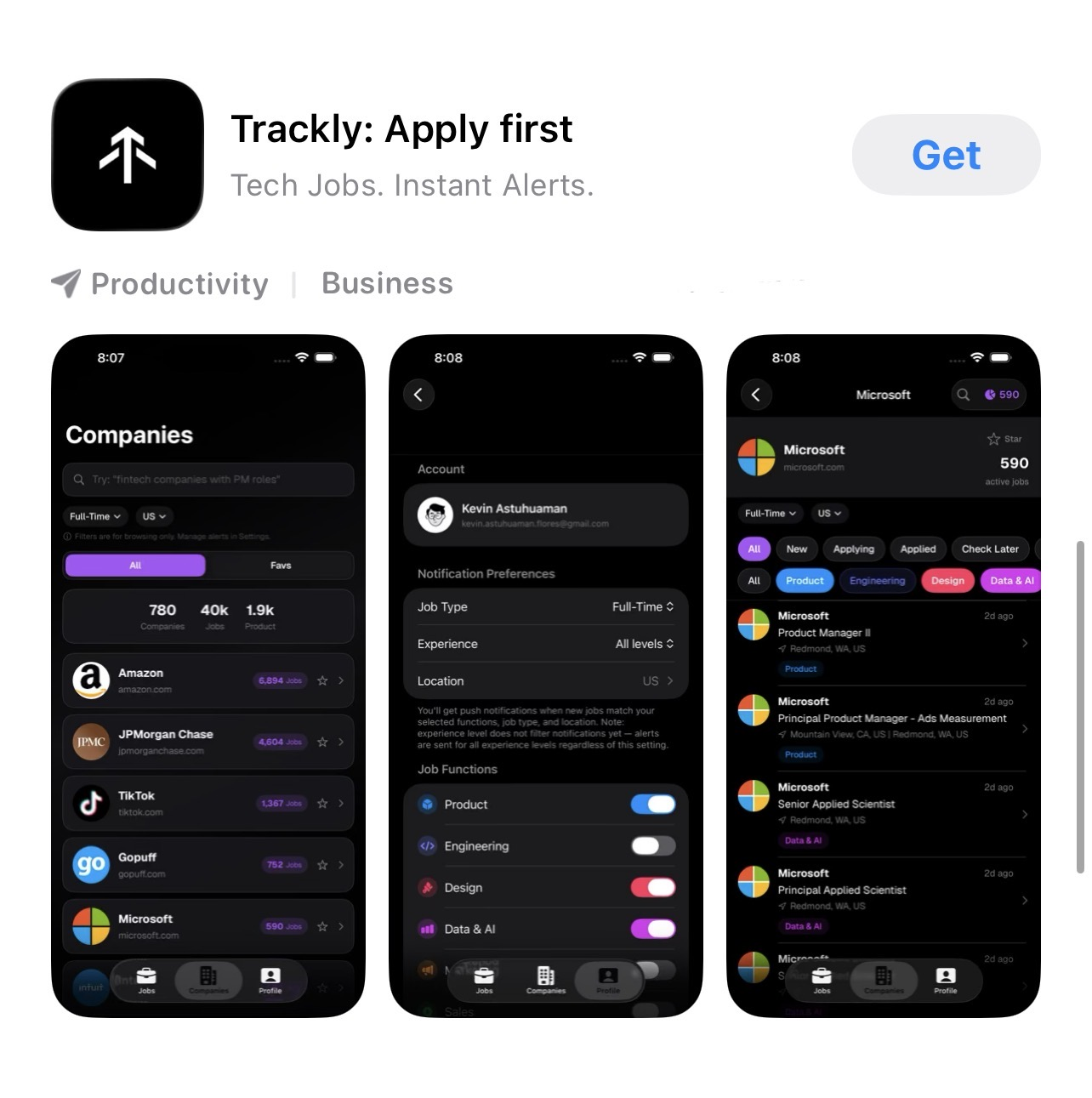
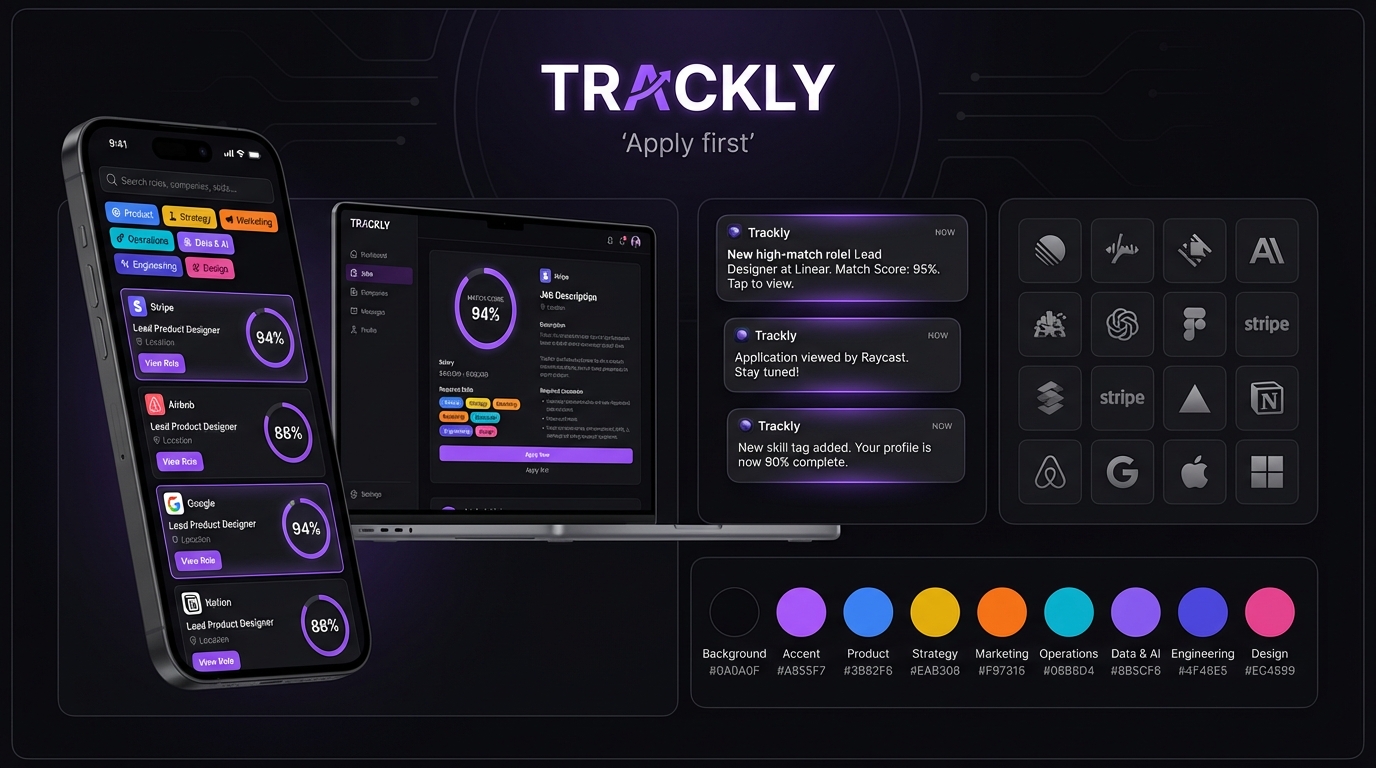
The app icon PNG is 1024x1024 and may need AI upscaling for 4K video (3840x2160). Use Topaz Gigapixel, Magnific, or Real-ESRGAN to increase resolution. Ensure the upscaled icon remains sharp with no artifacts.
Logo Placement Rules
- Scene 1 (Cold Open): Do NOT show the Trackly logo. Show the company logo (Stripe) in the notification icon.
- Scene 11 (CTA): Trackly app icon appears large, centered, with purple ambient glow. This is the hero moment.
- Everywhere else: Logo should be subtle or absent. The product UI itself is the brand.
- Clear space: at least 1x the icon width on all sides when standalone.
- Do not stretch, rotate, recolor, or add effects beyond a soft ambient glow.
Quick Reference
Copy-paste reference card for fast lookup during production.
Questions?
If you have questions about the brief, the product, or the creative direction, reach out to Kevin Astuhuaman.
| kevin.astuhuaman.flores@gmail.com | |
| Product | usetrackly.app |
We are excited to see what you create. Make it bold.